
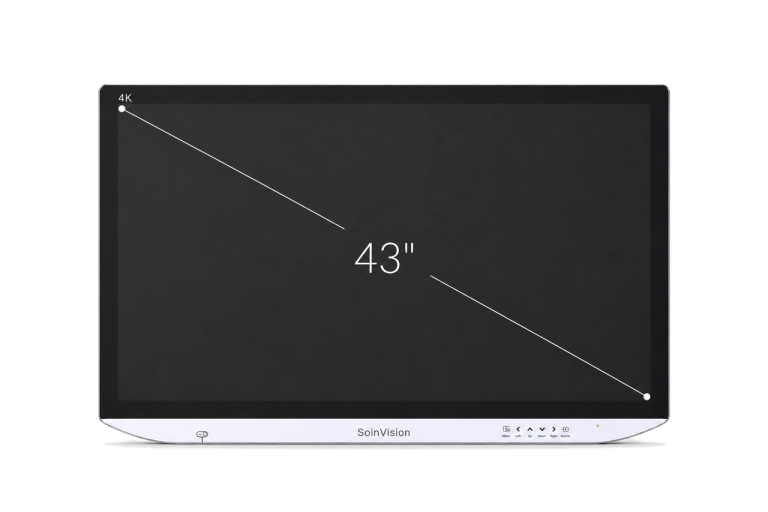
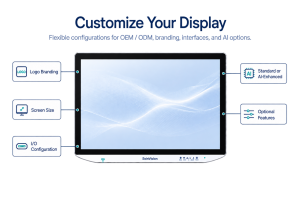
SOIN NEXARA 43-Inch 4K Medical Monitor
SOIN NEXARA 43 is the largest 4K display in SOINVISION’s standard NEXARA range.
Its 43-inch screen provides more screen area for shared use, supports viewing from farther positions and suits larger medical video installations.
The SOIN U430 family includes U430SE and U430Pro, providing two connectivity configurations on the same 3840 × 2160 NEXARA visualization platform.

4K UHD

PIP / PBP

12G-SDI

IP65 Front
WHY 43-INCH?
Large-Format Visualization for Shared Medical Viewing
The role of NEXARA 43 is defined by physical viewing scale rather than a different set of core display functions. Compared with the 27-inch and 32-inch NEXARA models, the 43-inch format provides more screen area for systems where the image needs to remain visible from farther positions or to multiple viewers.
01
More Display Area for Shared Viewing
The 43-inch screen provides the largest viewing surface in the standard NEXARA range, making it suitable for installations where the monitor is viewed by multiple users or positioned farther from the primary working area.
It can serve as a large main or shared visualization display depending on the room layout and system configuration.
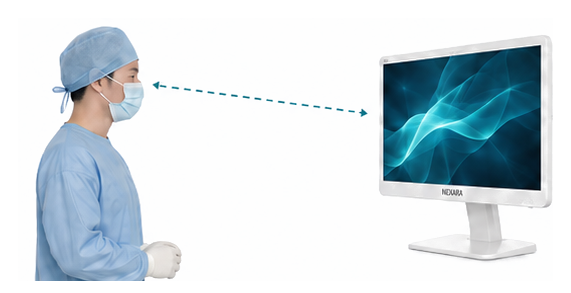

Well suited for operating rooms, shared surgical teams, and longer-distance main-display viewing positions.
02
Designed for Larger Installation Layouts
At approximately 26 kg, NEXARA 43 requires a mounting structure and installation layout appropriate for a large-format display.
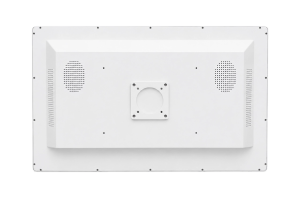
Its VESA 200 × 400 mm mounting pattern supports fixed and wall-oriented integration, while other suitably rated mounting structures can also be considered according to the installation system.
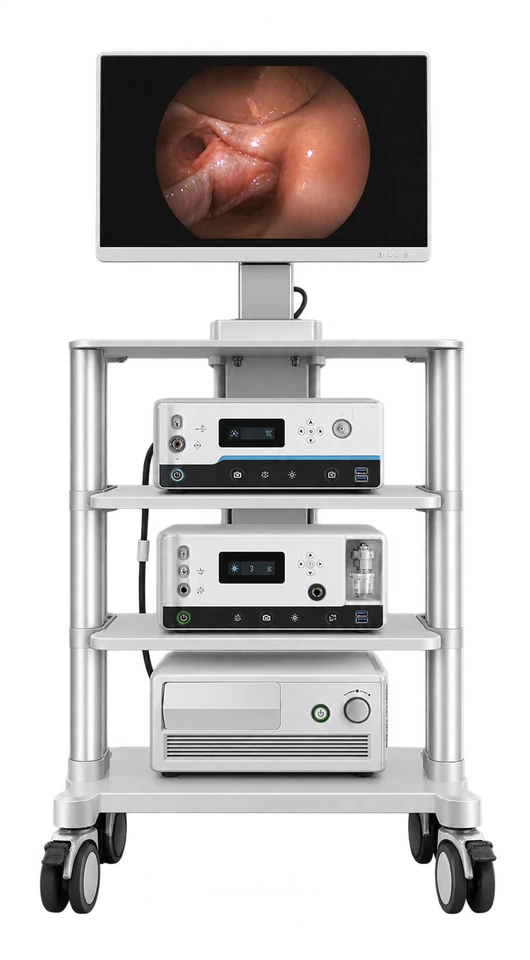
Endoscopy Cart
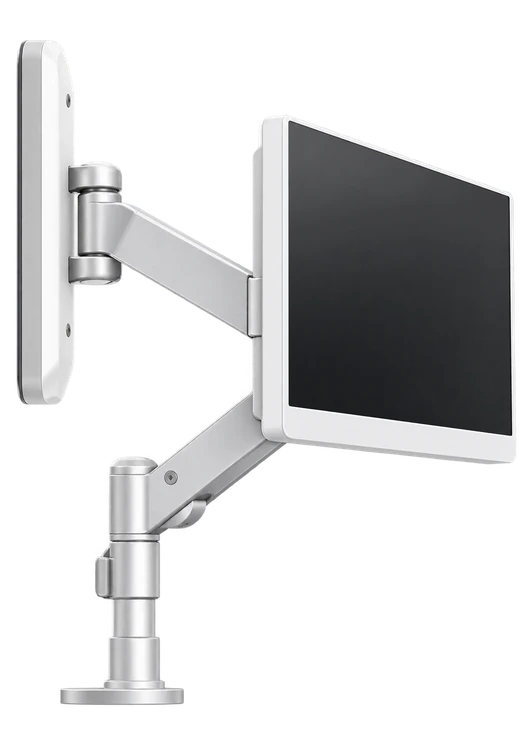
Wall / Boom Mount

Approx. 26 kg
Installation Weight

VESA 200 × 400 mm
Mounting Pattern
EXPLORE OTHER NEXARA SIZES

27-Inch — Compact Installation
Choose NEXARA 27 when closer viewing positions, a smaller equipment footprint and compact system integration are priorities.
32-Inch — Balanced Primary Viewing
Choose NEXARA 32 when the system needs more primary viewing area than the 27-inch format while retaining greater installation flexibility than the 43-inch option.
Large-Format 4K Visualization for Shared Viewing
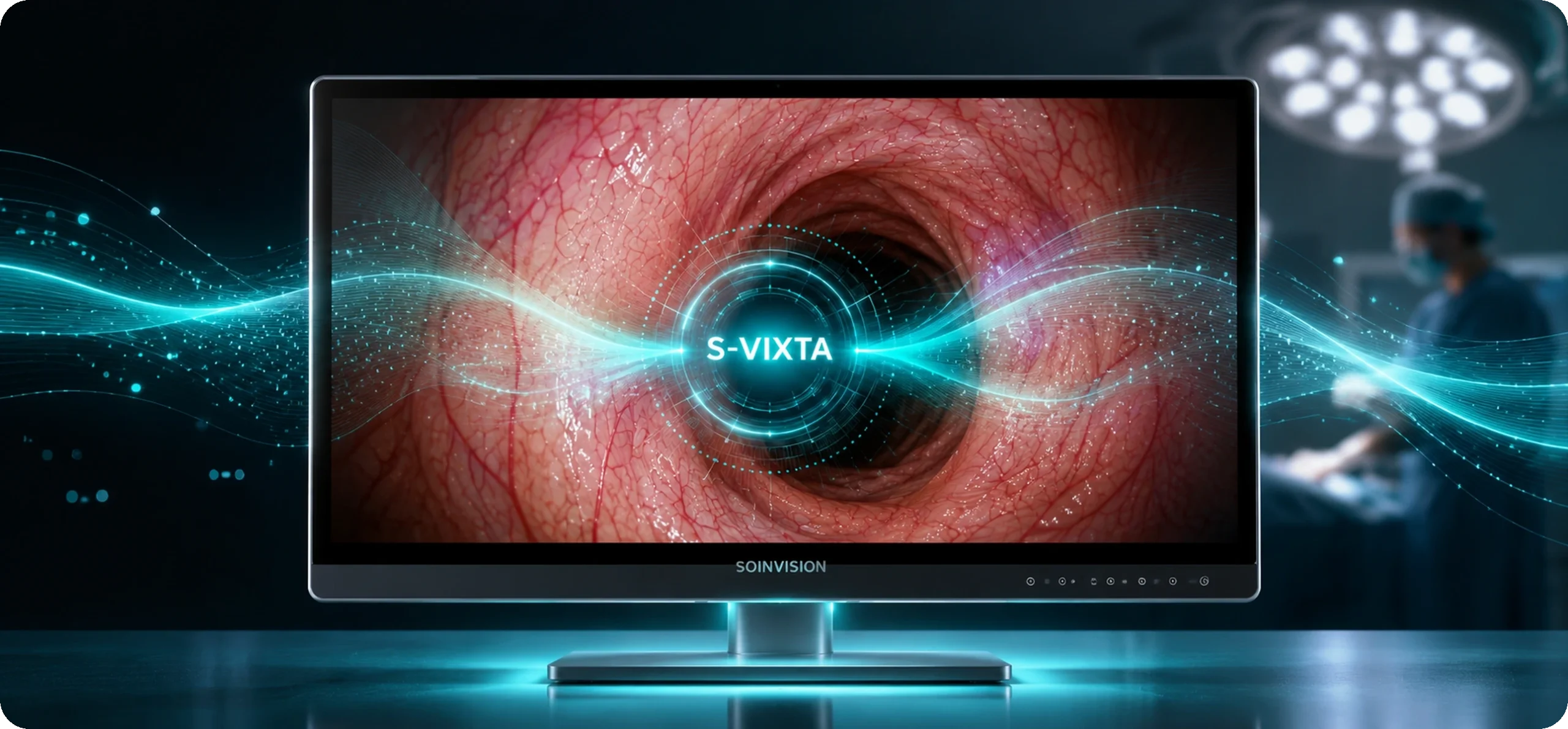
NEXARA 43 is built on the SOIN U430 family, including U430SE and U430Pro, and combines a native 3840 × 2160 4K display with flexible source handling and image controls for large-format medical video integration.
As a 43-inch 4K medical display, it provides more screen area for shared visualization across multiple viewing positions.
1080p to 4K Enhancement
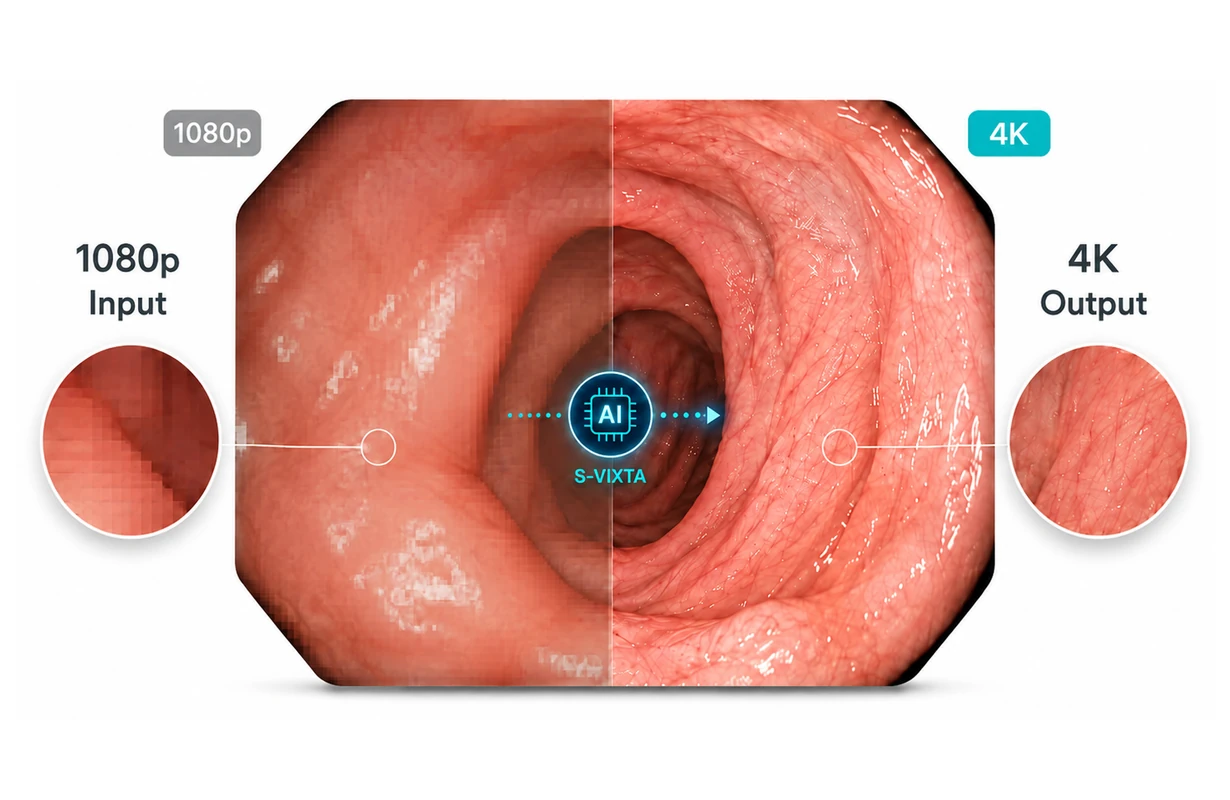
NEXARA 43 supports compatible native 4K signals as well as 1080p / Full HD medical video sources.
When a Full HD source is connected, NEXARA’s shared 1080p-to-4K enhancement prepares the image for presentation on the native 3840 × 2160 panel. This allows existing Full HD medical video equipment to remain usable when the display is upgraded to a larger 4K viewing platform.
For a large-format 43-inch display, this is especially practical when the system needs a larger viewing surface while the upstream video equipment still includes Full HD sources.
1080p-to-4K enhancement improves the presentation of Full HD content on the 4K panel, but it does not convert the original source into native 4K acquisition.
178° Wide Viewing Angle
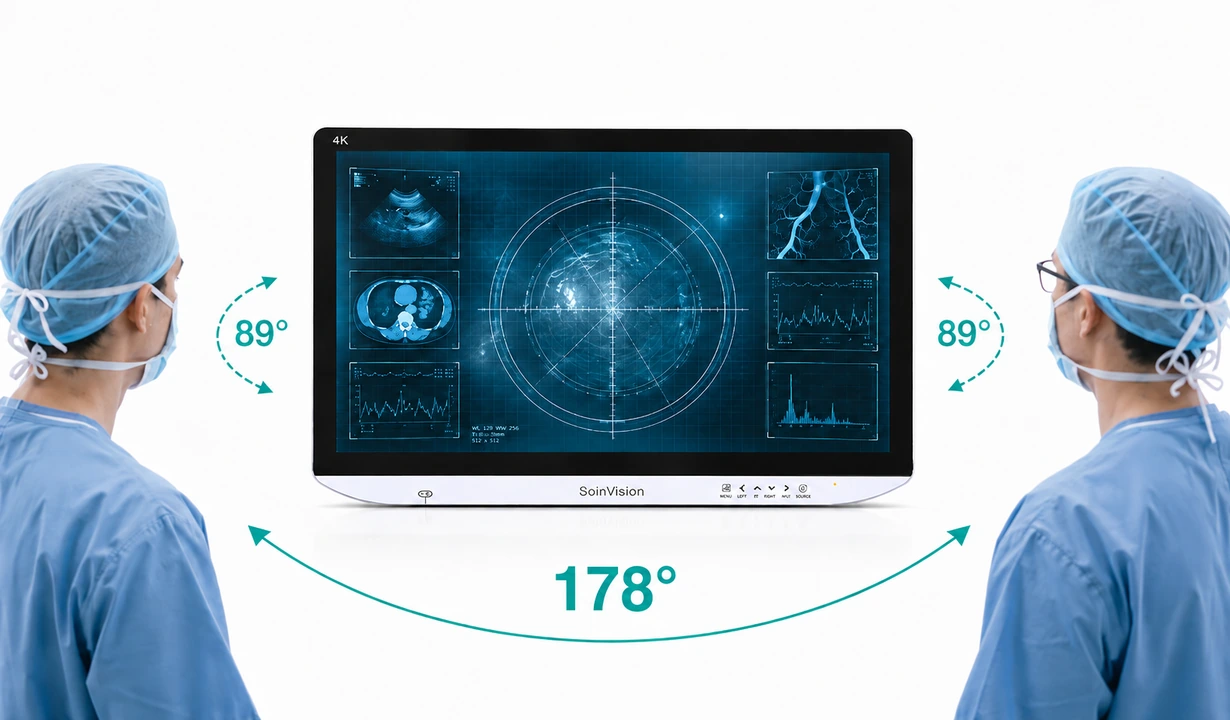
The 178° viewing angle supports image visibility from different positions around the display rather than only from directly in front of the screen.
On a 43-inch large-format medical display, this becomes especially useful for shared or team viewing, where several users may need to see the same image from different positions in the room.
The wide viewing angle therefore complements the larger viewing surface by supporting more flexible viewing positions around the display.
SDR & HDR Support for Large-Format 4K Viewing
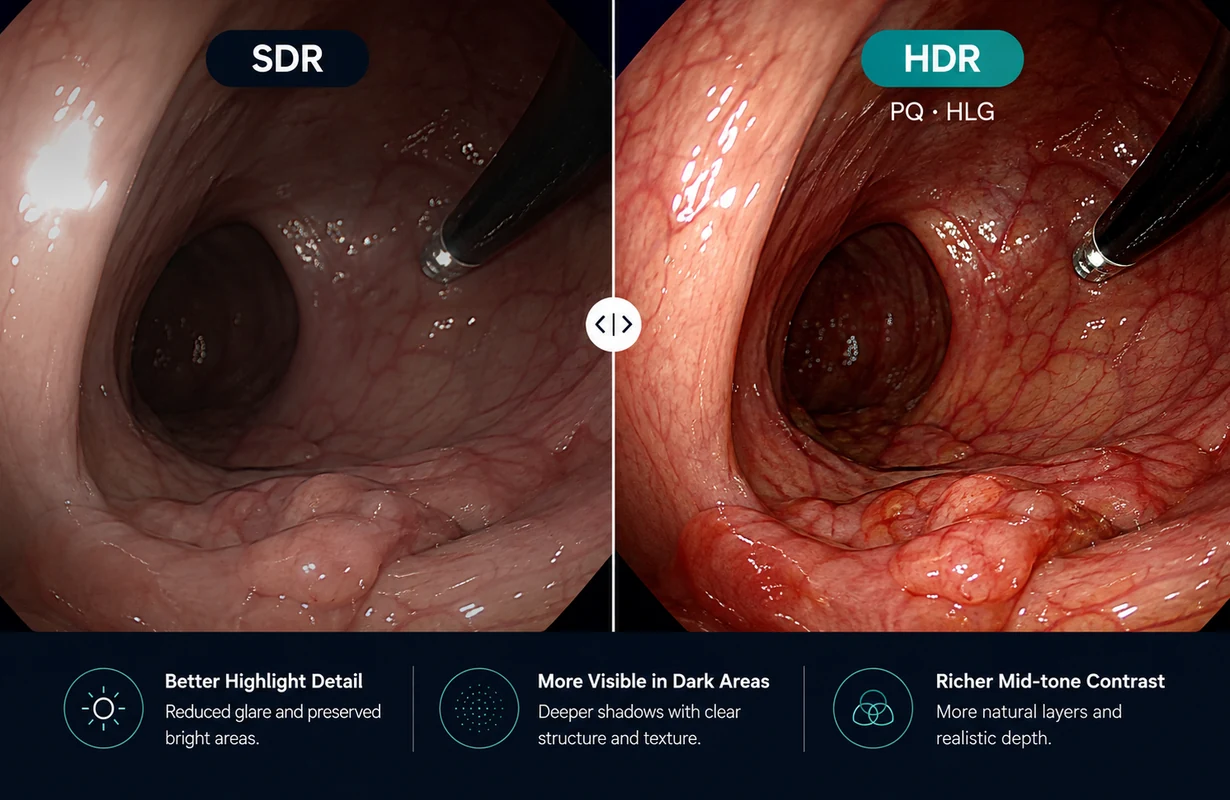
NEXARA 43 supports both SDR and HDR medical video presentation on its large-format 4K display.
Standard SDR configurations remain available for conventional sources, while HLG and PQ provide dedicated display modes for compatible HDR signals, extending source-format flexibility across the 43-inch viewing platform.
BT.2020 and Flexible Color Space Support
NEXARA 43 supports BT.709, DCI-P3 and BT.2020 color-space options, allowing the large-format 4K display to be configured for different compatible video sources.
For BT.2020-based 4K content, the corresponding display configuration can be selected to match the source color space, while additional modes such as Standard, DICOM, PQ, HLG and Custom remain available when required by the source or viewing setup.
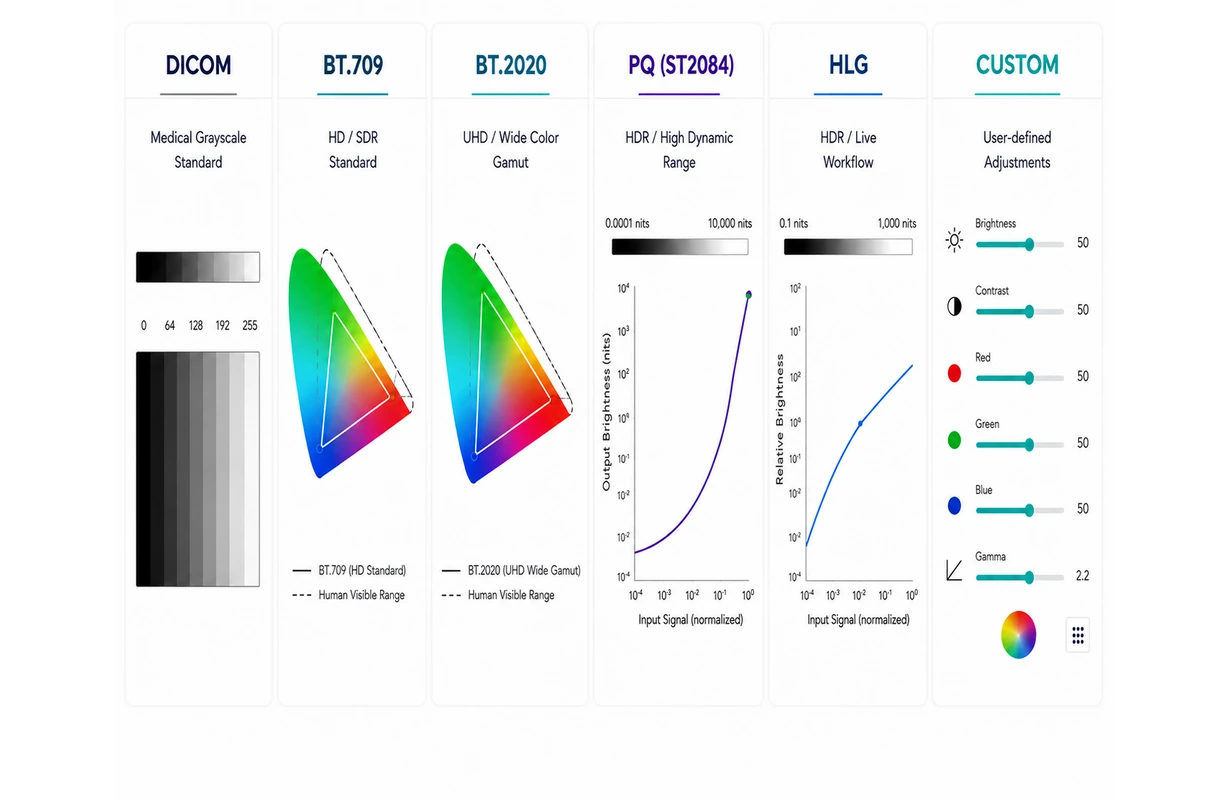
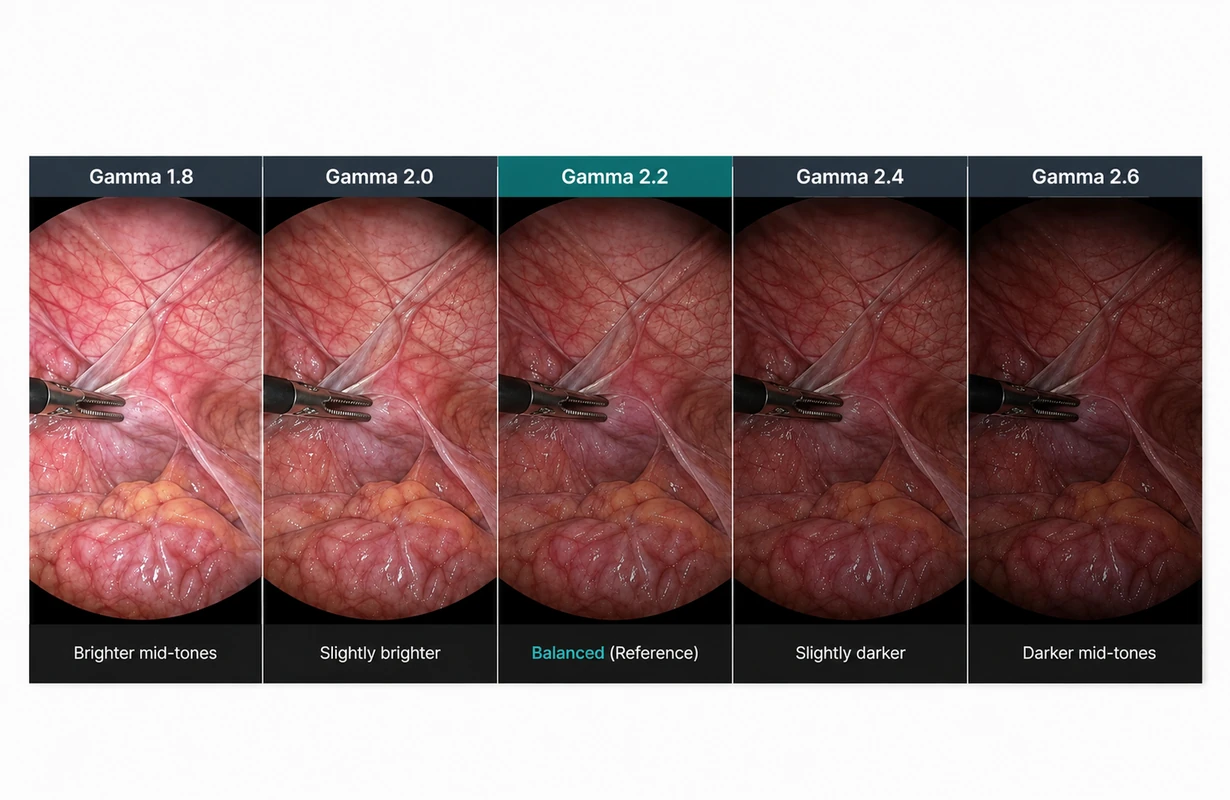
Gamma Standards & Tonal Gradation
NEXARA 43 combines adjustable Gamma with DICOM, SMPTE ST 2084 (PQ) and ITU-R BT.2100 (HLG) tonal configurations for different medical imaging and video sources.
Selectable Gamma settings provide additional control over image gradation and mid-tone rendering on the large-format 4K display, allowing the tonal presentation to be matched more closely to the incoming source and viewing setup.
Multi-View Display with PIP & PBP
NEXARA 43 supports multi-view functions including PIP and PBP for compatible video sources.
The larger 43-inch viewing surface provides more room to organize a primary medical video image together with a secondary compatible source in an inset or side-by-side layout.
This makes multi-source presentation particularly relevant on the 43-inch model when several types of information need to remain visible on the same screen.

Single View

Quad View

Side 3-Split

Bottom 3-Split

PIP

PBP
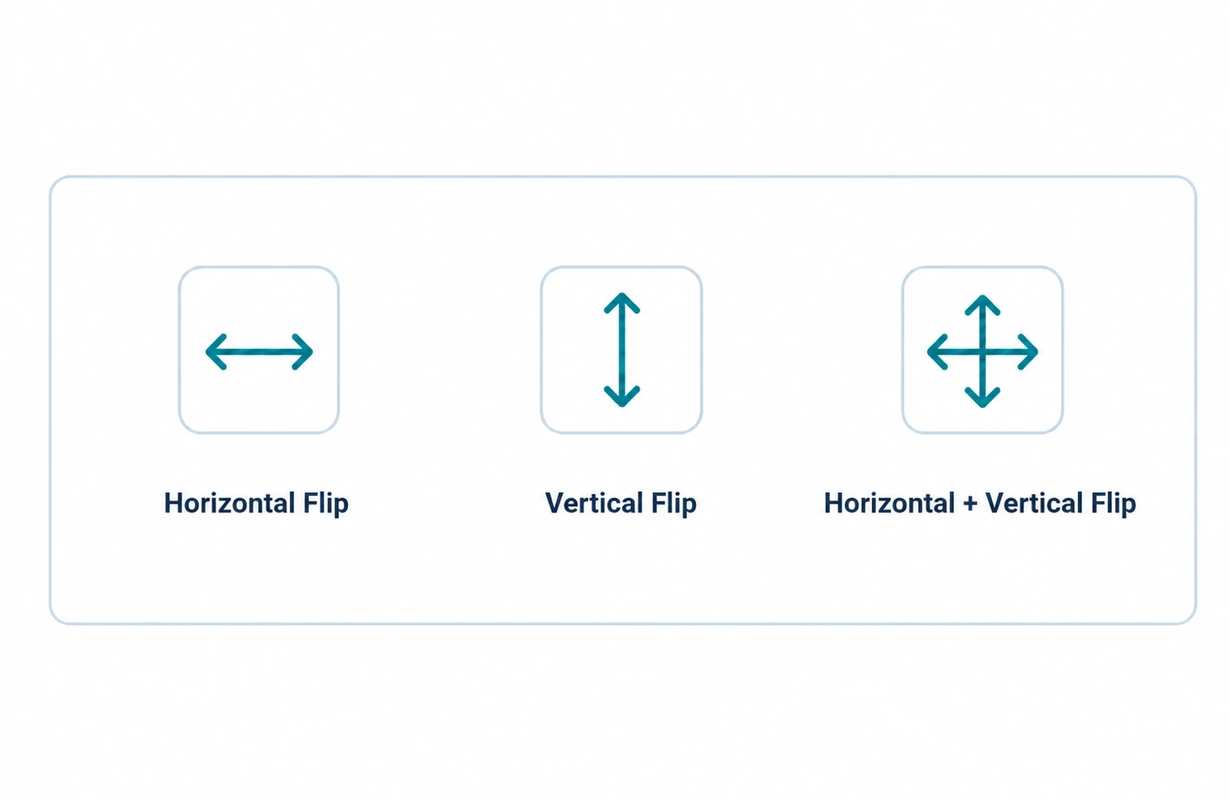
Image Flip & Orientation Adjustment
NEXARA 43 supports horizontal, vertical and combined image flip for compatible medical video sources.
The displayed orientation can be adjusted when required by the source configuration or system layout, without changing the upstream video source.
Other Special Functions
Image and Video Range Control for Large-Format Viewing
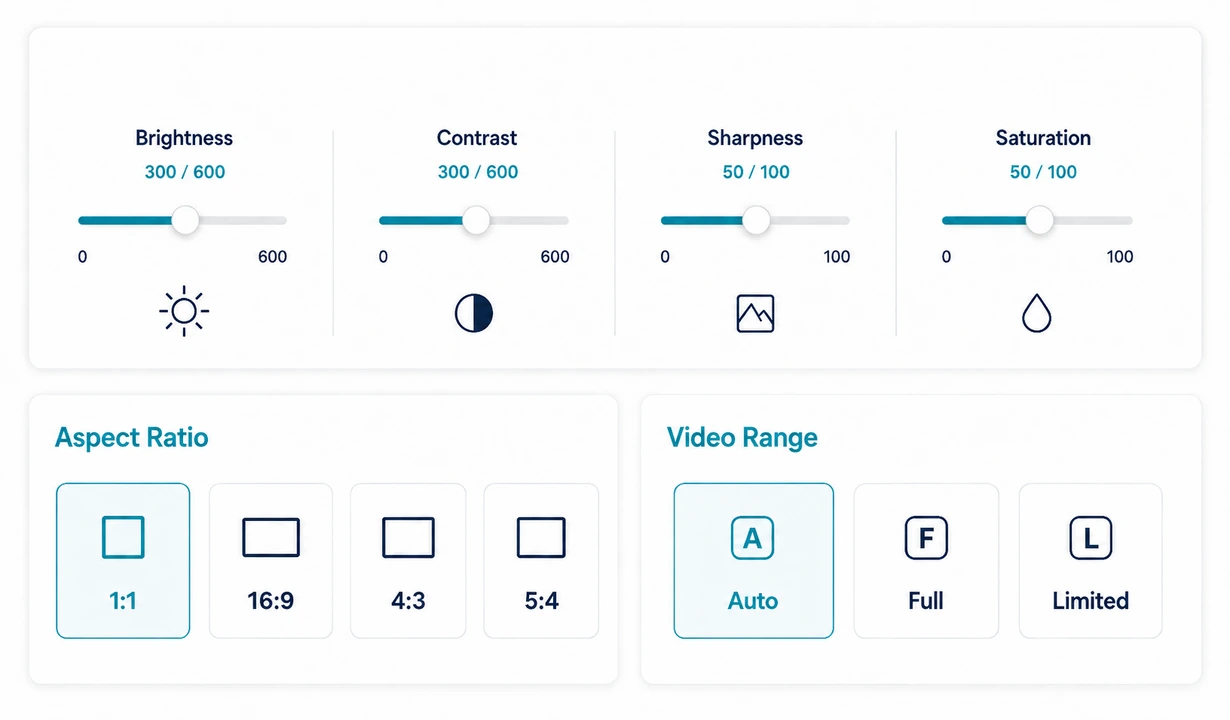
NEXARA 43 provides image adjustment controls for refining brightness, contrast, sharpness and saturation on the large-format display.
Selectable 1:1, 16:9, 4:3 and 5:4 aspect ratios allow different source formats to be presented using an appropriate screen layout, while Auto, Full and Limited video-range options provide additional control over compatible input signals.
For a 43-inch display that may receive video from different system configurations, these controls help adapt the presentation without changing the upstream source equipment.
Color Temperature and RGB Balance
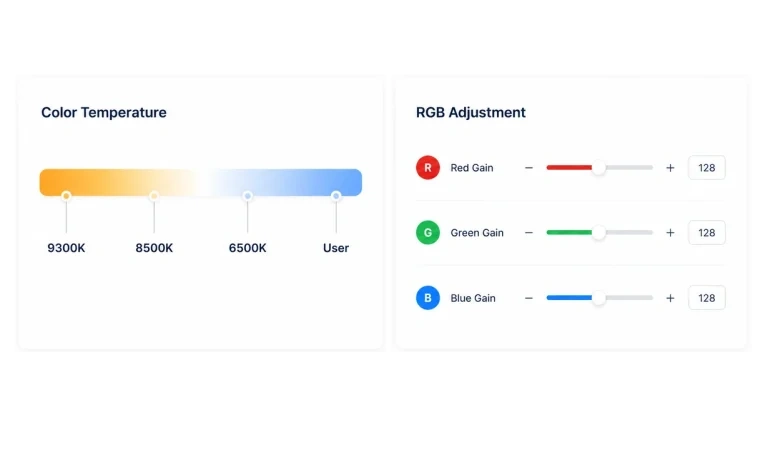
NEXARA 43 supports 9300K, 8500K and 6500K preset color temperatures together with a User mode for manual configuration.
In User mode, individual R, G and B channel-gain settings from 0 to 600 provide additional control over the color balance of the large-format 4K display.
Freeze Frame for Large-Format Viewing
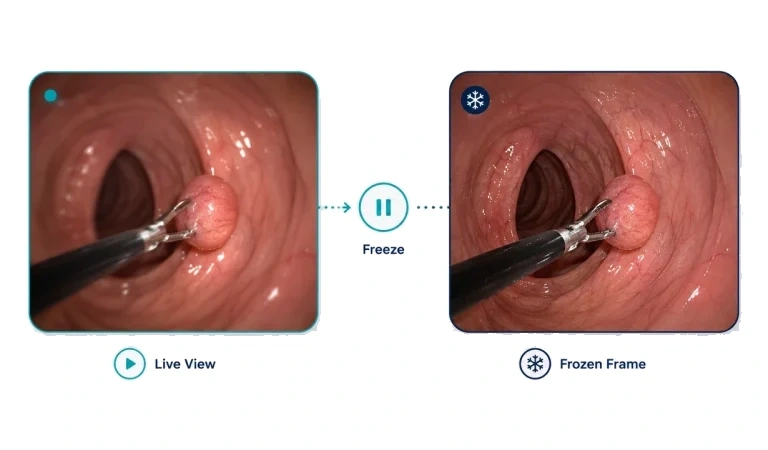
NEXARA 43 can temporarily retain the current medical video frame across its large-format display for static viewing or reference.
The image remains visible on screen without requiring the connected source to be paused.
NEXARA
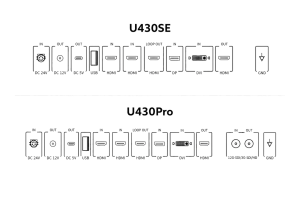
NEXARA 43-Inch Rear I/O Configurations
U430SE and U430Pro share the same 43-inch NEXARA display platform and core digital video connectivity. U430Pro adds dedicated multi-rate SDI input and output for systems that require an SDI signal path.
NEXARA U430SE
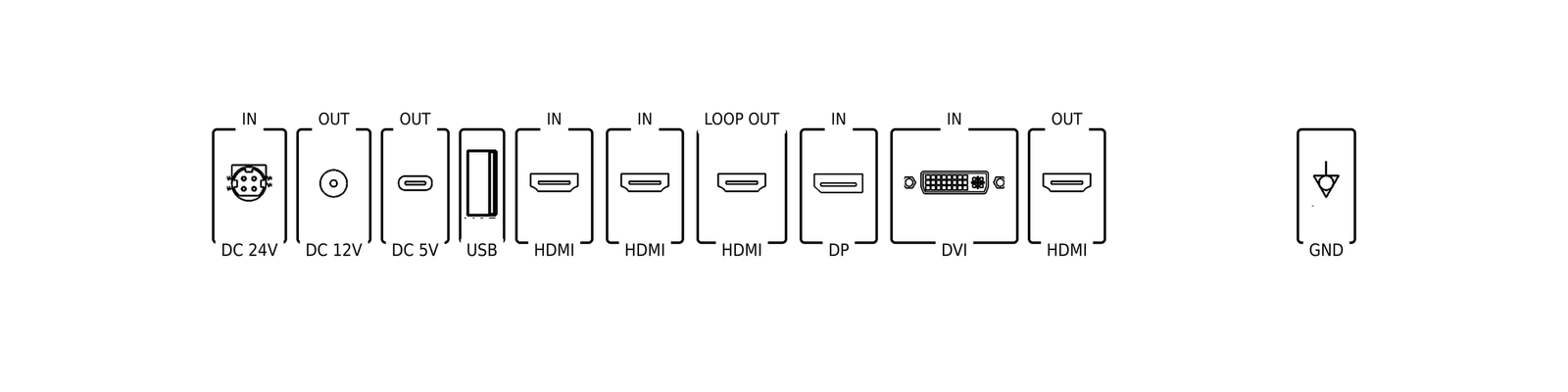
U430SE supports HDMI, DisplayPort and DVI-based medical video integration and is suitable when dedicated SDI input and output are not required.

Power & Utility
Includes DC 24V IN, DC 12V OUT, DC 5V OUT, USB-A, and EQP GND for system integration and accessory support.

Video I/O
Inputs: HDMI IN ×2 / DisplayPort IN ×1 / DVI IN ×1
Outputs: HDMI OUT (Loop OUT) / HDMI OUT

Interface Highlights
- Supports HDMI, DisplayPort and DVI-based medical video integration.
- Suitable when dedicated SDI input and output are not required.
NEXARA U430Pro
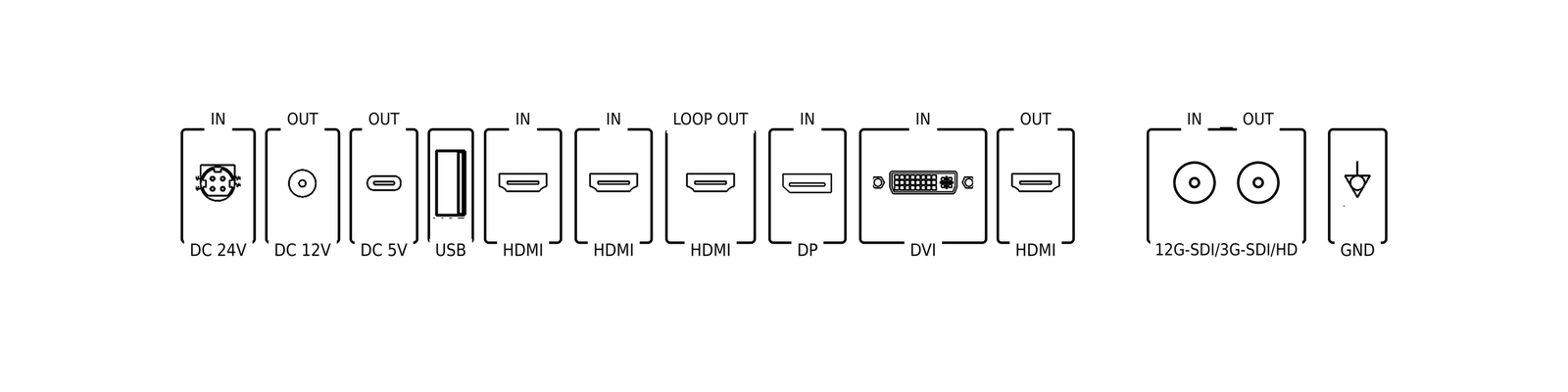
U430Pro retains the core digital video connectivity and adds dedicated multi-rate SDI input and output for SDI-based medical video workflows.
Power & Utility
Includes DC 24V IN, DC 12V OUT, DC 5V OUT, USB-A, and EQP GND for integrated medical system applications.
Video I/O
Inputs: HDMI IN ×2 / DisplayPort IN ×1 / DVI IN ×1 / 12G-SDI / 3G-SDI / HD IN
Outputs: HDMI OUT (Loop OUT) / HDMI OUT / 12G-SDI / 3G-SDI / HD OUT
Interface Highlights
- Adds dedicated multi-rate SDI input and output for SDI-based medical video workflows.
- Suitable when the imaging source or system signal path requires SDI connectivity.
TECHNICAL SPECIFICATIONS
SOIN NEXARA 43-Inch 4K Medical Monitor
The specifications below define the U430 large-format platform, including its 43-inch 4K display characteristics, physical dimensions, mounting requirements and model-specific connectivity.

43"
Screen Size

3840 × 2160
Resolution

IPS LCD
Panel Type

178° / 178°
Viewing Angle

26 kg
Net Weight

200 × 400 mm
VESA Mounting
* Specifications are subject to change without prior notice.
Display & Panel
Image & Color
Mechanical & Mounting
Power
PRODUCT DOCUMENTATION
Product Documents & Downloads
Download the NEXARA 43 user manual and U430SE / U430Pro product catalogs for operating guidance, mounting reference, technical specifications and model-specific rear-I/O information.

User Manual
NEXARA 43-inch 4K Surgical Monitor
U430SE Product Catalog
U430SE medical LCD display
U430Pro Product Catalog
U430Pro medical LCD display
FAQ
SOIN NEXARA 43-Inch FAQ
Answers to common questions about applications, interfaces, system compatibility, and configuration support.
When should you choose a 43-inch medical monitor instead of a 27-inch or 32-inch model?
A 43-inch monitor is more suitable when the image needs to remain visible across a larger viewing area, from farther positions or to multiple viewers. For closer operator-side viewing or installations with limited space, a 27-inch or 32-inch model may be more practical. NEXARA 43 is primarily a large-format viewing and installation choice rather than a different 4K resolution tier.
Does the NEXARA 43-inch medical monitor support 12G-SDI?
Yes. The U430Pro configuration provides dedicated 12G-SDI / 3G-SDI / HD input and output for systems that require an SDI signal path. The U430SE uses HDMI, DisplayPort and DVI connectivity without the dedicated SDI input/output pair. If SDI is not required, U430SE is normally the more straightforward configuration.
What video inputs and outputs does U430SE support?
U430SE provides two HDMI inputs, one DisplayPort input and one DVI input, together with HDMI loop-out and HDMI output. It is designed for medical video systems that use standard digital video interfaces and do not require dedicated SDI connectivity.
Does NEXARA 43 support PIP and PBP for multiple video sources?
Yes. NEXARA supports multi-view functions including PIP and PBP, allowing compatible video sources to be displayed together when required by the workflow. The larger 43-inch viewing surface can be useful in installations where more than one source needs to remain visible at the same time.
Does the NEXARA 43 require a native 4K video source?
No. NEXARA 43 uses a native 3840 × 2160 4K UHD panel, but the connected source does not have to originate in 4K. Compatible native 4K signals can be displayed directly, while compatible 1080p / Full HD sources can use NEXARA’s 1080p-to-4K enhancement for presentation on the 4K screen. Enhanced Full HD content is not the same as native 4K acquisition.
Can the NEXARA 43-inch monitor be mounted on a medical cart or wall?
Yes, provided the mounting structure is appropriately rated for the display. NEXARA 43 weighs approximately 26 kg and uses a VESA 200 × 400 mm mounting pattern. Fixed and wall-oriented installations are common for this size, while cart integration is also possible when the cart, mounting plate and support structure provide adequate load capacity and stability.
Planning a Large-Format U430 Installation?
Choose U430SE when HDMI, DisplayPort and DVI connectivity meet the system requirements, or U430Pro when dedicated SDI input and output are required.
Contact SOINVISION for pricing, product information and U430 configuration support.