
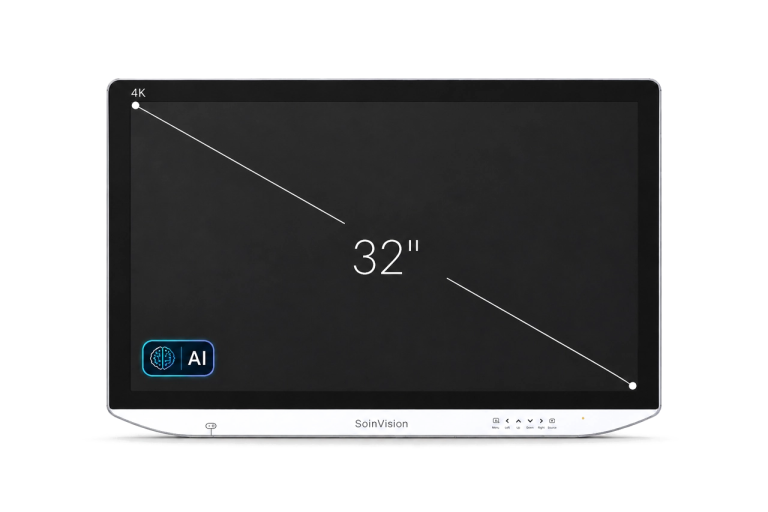
SOIN NEXARA X 32-Inch 4K Surgical Monitor
Designed for primary surgical viewing, the SOIN NEXARA X 32 combines a 3840 × 2160 4K display surface with SOINVISION’s S-VIXTA image-enhancement capabilities. As a 32-inch surgical monitor, it provides a balanced main viewing format for surgical visualization and medical video workflows.
Available as AIU320Pro and AIU320Ultra, the SOIN AIU320 family offers two connectivity configurations while retaining the same 32-inch NEXARA X visualization and enhancement platform.

4K UHD

PIP / PBP

12G-SDI

IP65 Front
WHY 32-INCH?
Expanded 32-Inch Visualization with Integrated Image Enhancement
NEXARA X 32 occupies the middle viewing format in the X series: larger than the compact 27-inch model for primary surgical visualization, yet easier to integrate than the 43-inch large-format option.
Its role is not defined by screen size alone—the 32-inch format is paired with the S-VIXTA enhancement layer for workflows that require both a larger main viewing area and additional image-control capability.
01
Balanced for Main Surgical Visualization
The 32-inch screen provides a practical main-display format for surgical and medical video workflows where image area, viewing position and equipment layout all need to be considered together.
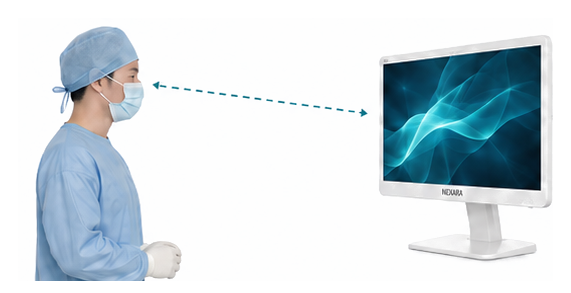

Well suited for standard endoscopy rooms, shared surgical teams, and balanced main-display viewing positions.
02
Built for Enhanced Medical Video Workflows
NEXARA X 32 combines the balanced 32-inch format with the S-VIXTA enhancement layer, giving system integrators and clinical users access to additional visualization controls beyond the standard NEXARA platform.
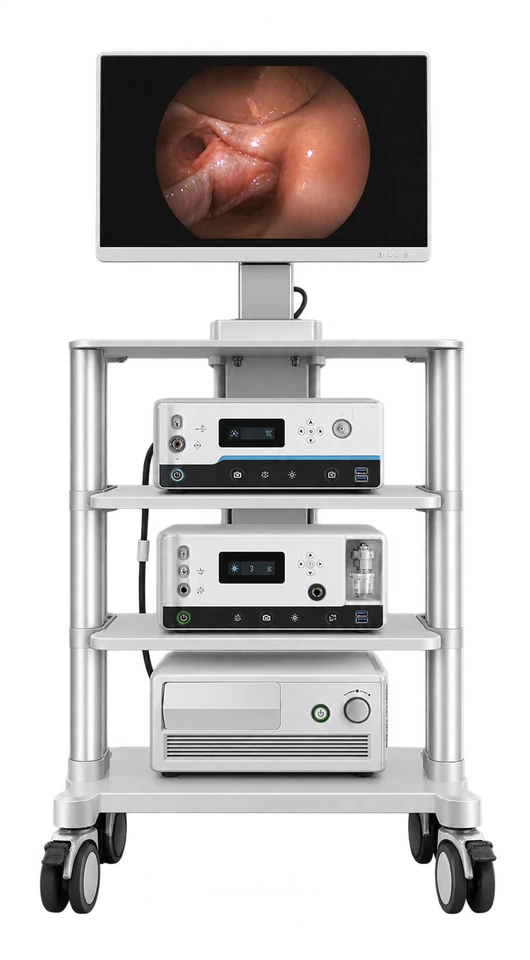
Endoscopy Cart
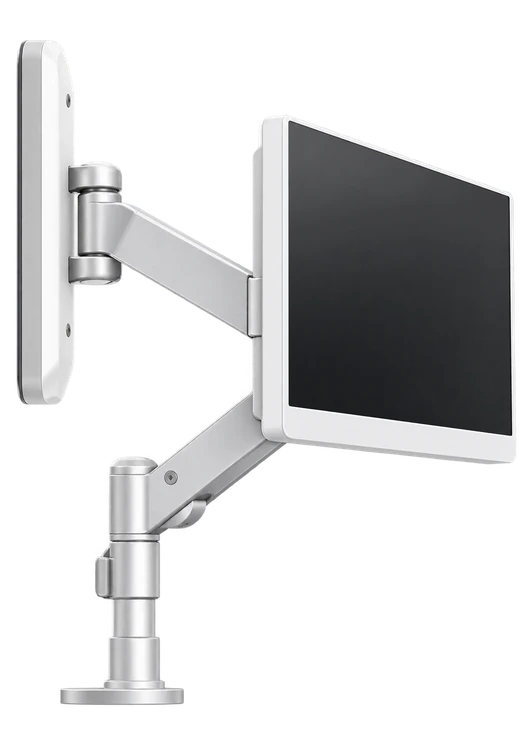
Wall / Boom Mount

12.5 kg
Installation Weight

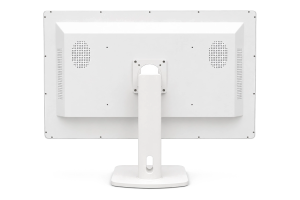
100 × 100 / 100 × 200 mm
VESA
EXPLORE OTHER NEXARA X SIZES

27-Inch — Compact Enhanced Visualization
Choose NEXARA X 27 when a smaller display format, closer viewing position and more compact installation are priorities.
43-Inch — Large-Format Enhanced Visualization
Choose NEXARA X 43 for larger installations where shared viewing, greater viewing distances and a larger 4K display surface are required.
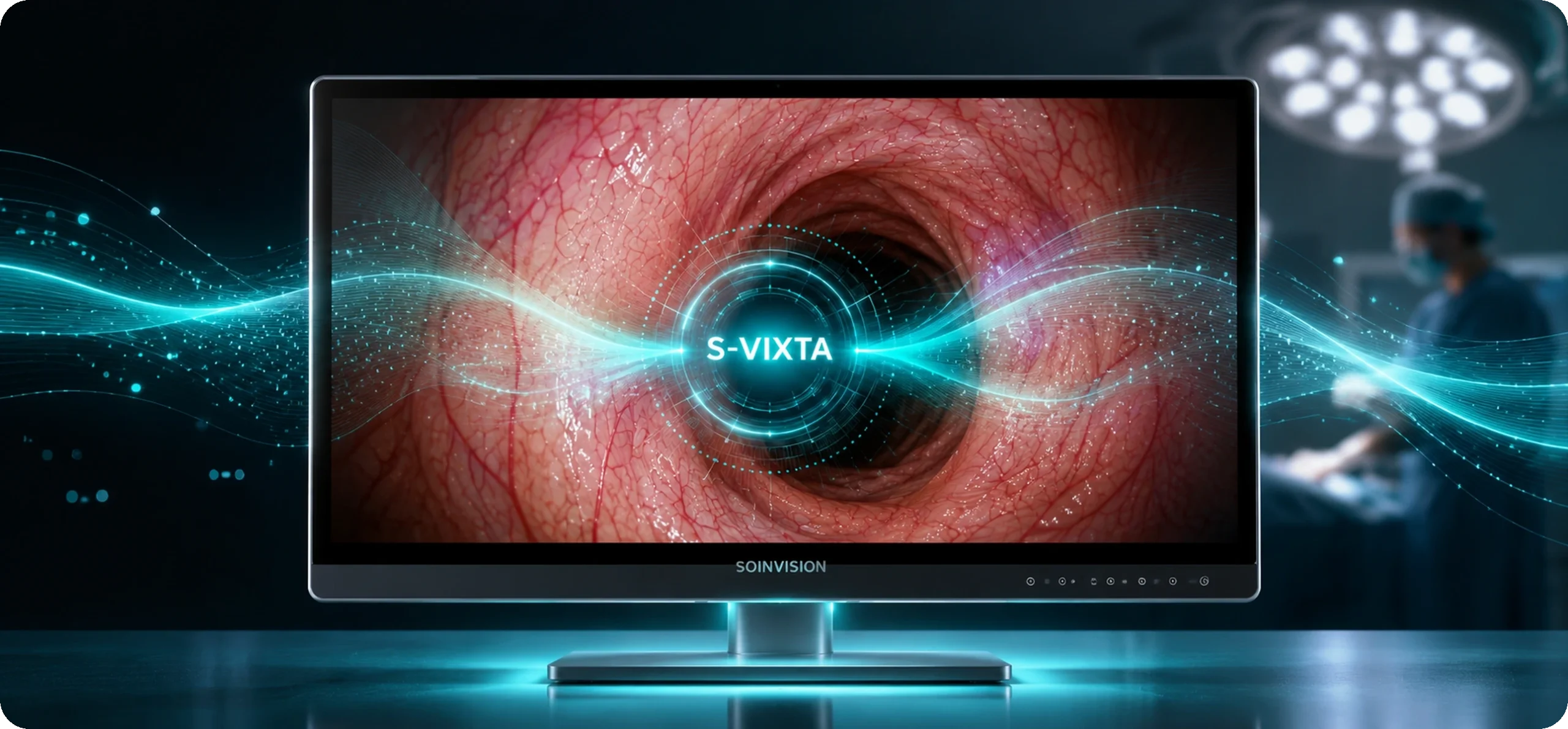
S-VIXTA Visualization for a 32-Inch Surgical Monitor
SOIN AIU320 identifies the 32-inch model family used for NEXARA X 32. The display combines a 32-inch 4K surgical monitor format with integrated S-VIXTA image enhancement for primary surgical and endoscopy viewing.
S-VIXTA adds controllable image optimization and visibility enhancement on top of the shared NEXARA 4K platform, while HDR, color management, multi-view, orientation and other core display controls remain part of the shared NEXARA layer.
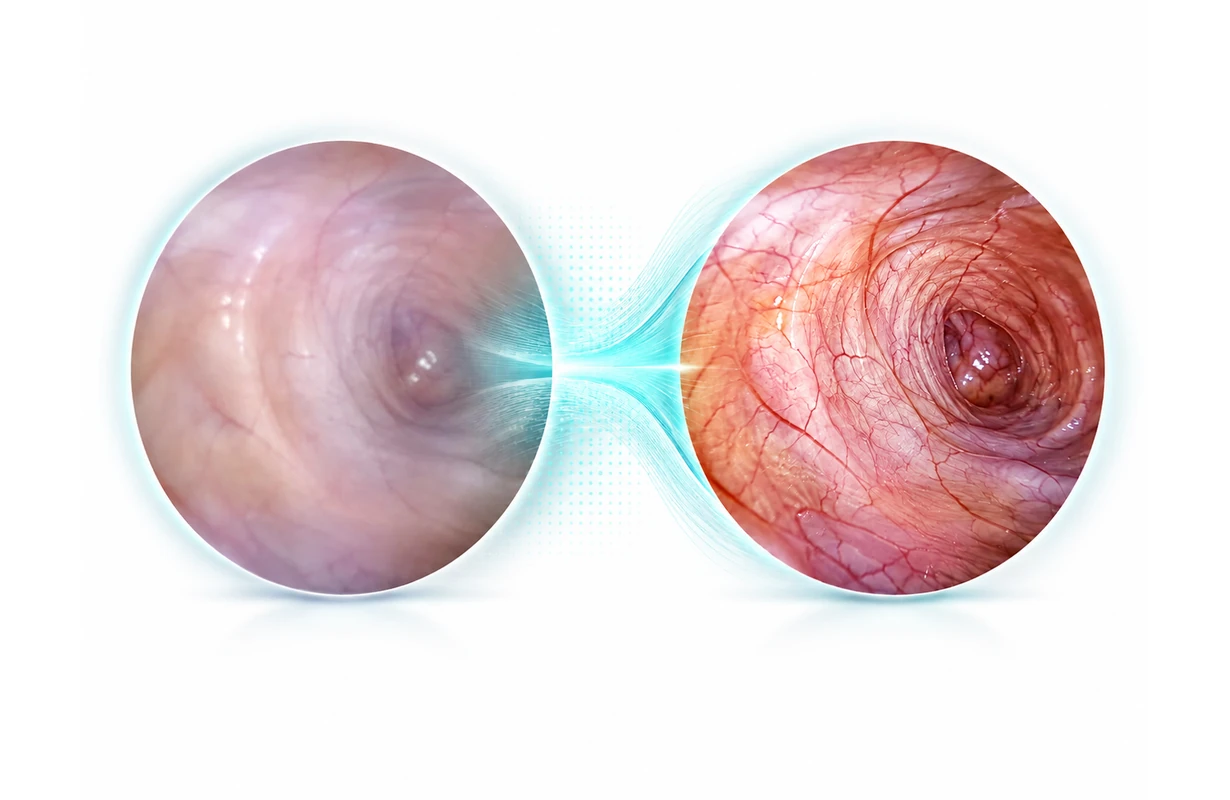
S-VIXTA Intelligent Visualization Technology
S-VIXTA is SOINVISION’s medical imaging enhancement technology integrated into NEXARA X 32.
On the shared NEXARA 4K platform, S-VIXTA combines Global Optimize, Defog, Depth Enhancement, Vessel and Tissue Visibility Enhancement, and an adjustable AI Enhancement Level from 0 to 10 as one integrated enhancement layer. The selectable level lets enhancement strength be tuned for different surgical or endoscopy images rather than relying on one fixed setting.
The NEXARA core continues to provide 4K visualization, 1080p-to-4K enhancement, HDR, Gamma, color management and multi-view, while S-VIXTA extends NEXARA X 32 with additional image-enhancement controls.
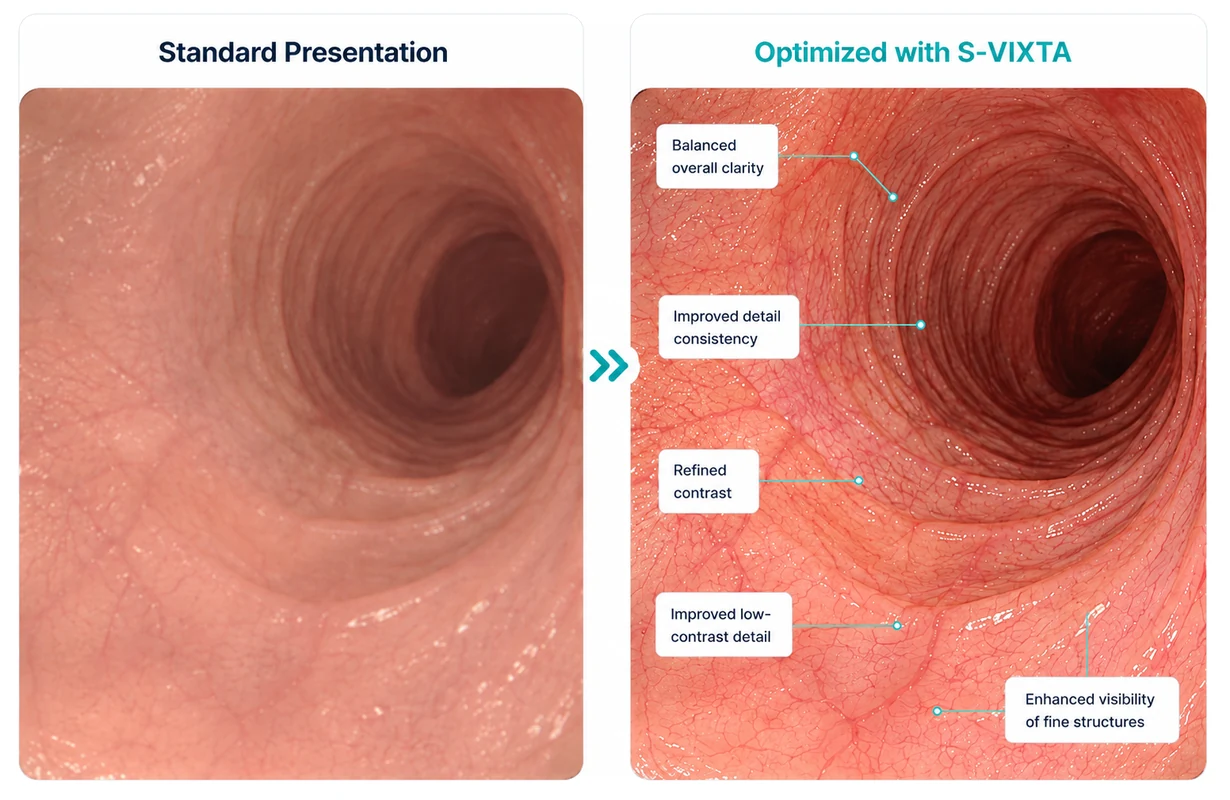
S-VIXTA Global Optimize
Within S-VIXTA, Global Optimize provides coordinated enhancement of the overall displayed image.
It provides a broader optimization step before more specific S-VIXTA controls such as Defog, Depth Enhancement or Vessel and Tissue Visibility Enhancement are applied.
Global Optimize therefore serves as the broad image-optimization control within the S-VIXTA workflow, while the other tools address more specific visibility characteristics.
S-VIXTA Defog Enhancement
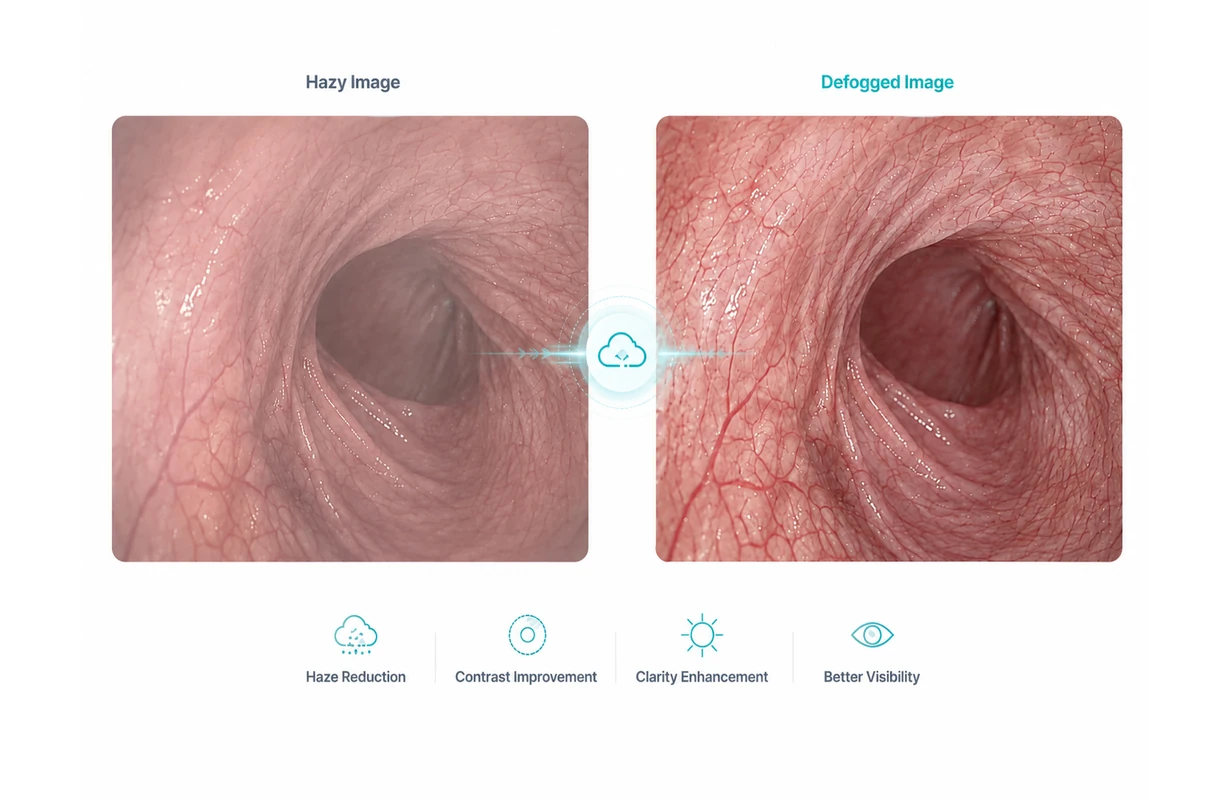
S-VIXTA Defog reduces the visible effect of haze in compatible surgical or endoscopy video.
By lowering haze-related visual interference, structures that appear partially obscured can be presented with clearer separation on the screen.
Defog can be selected when needed rather than remaining active for every source.
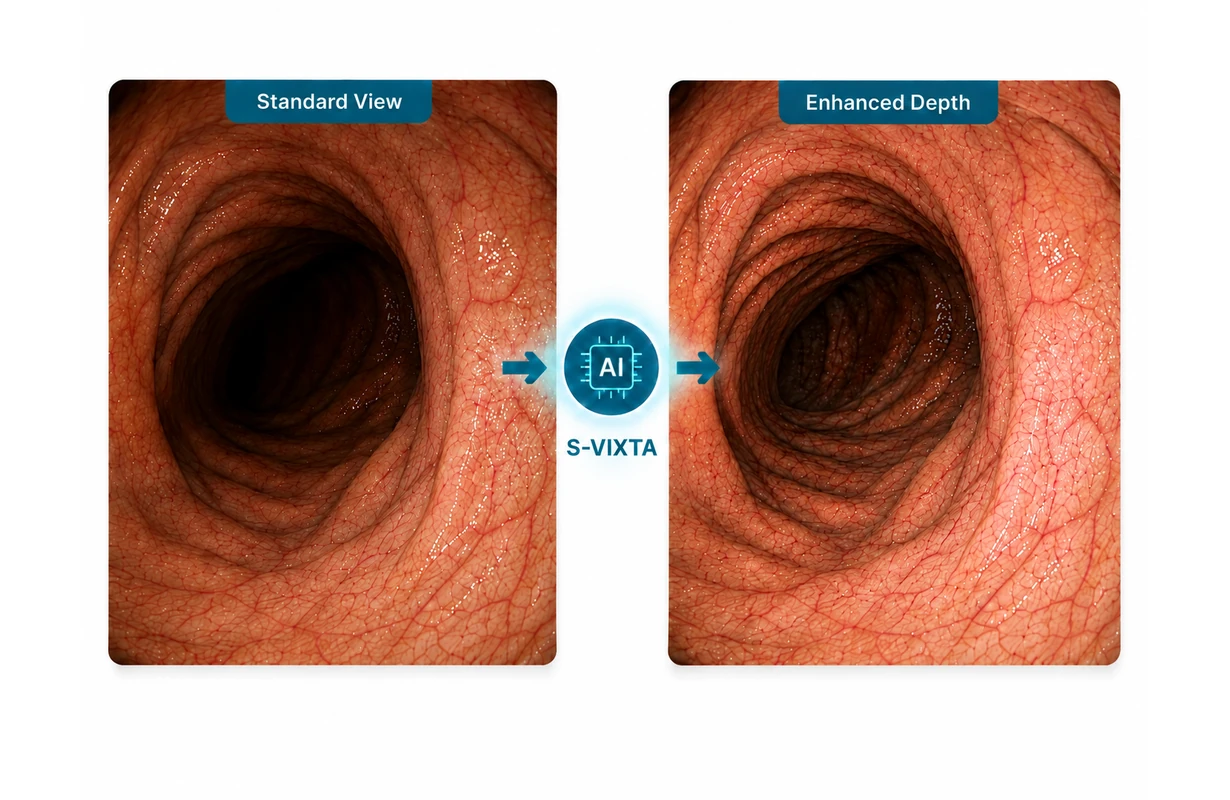
S-VIXTA Depth Enhancement
S-VIXTA Depth Enhancement strengthens the visibility of depth-related differences within compatible surgical and endoscopy video on NEXARA X 32.
The processing can make separation between structures at different apparent depths more distinct on screen, helping the displayed image present depth cues more clearly without altering the upstream source signal.
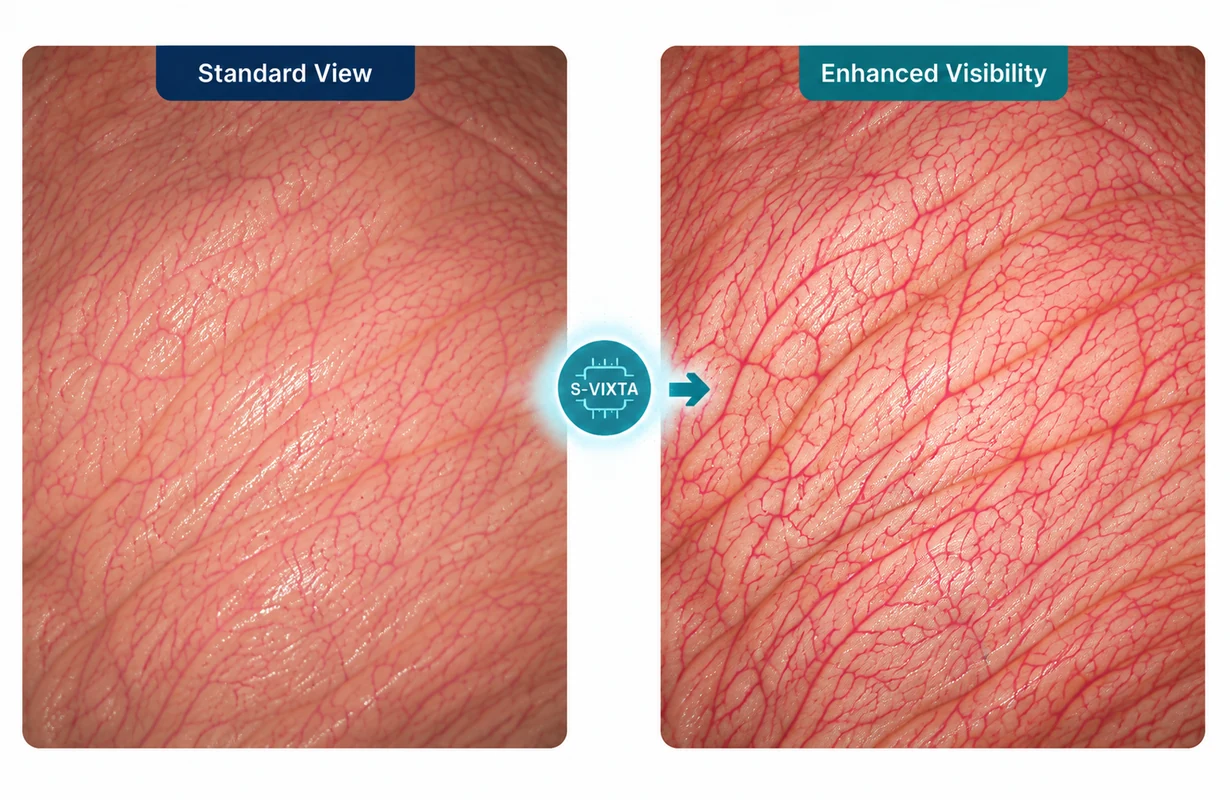
Vessel and Tissue Visibility Enhancement
S-VIXTA Vessel and Tissue Visibility Enhancement strengthens the on-screen distinction of vessel- and tissue-related image information in compatible surgical video.
On the 32-inch surgical display, this function is intended to make those visual differences more distinct at the display-processing stage without changing the original source signal.
It can be combined with other S-VIXTA enhancement controls according to the source image and viewing requirement.
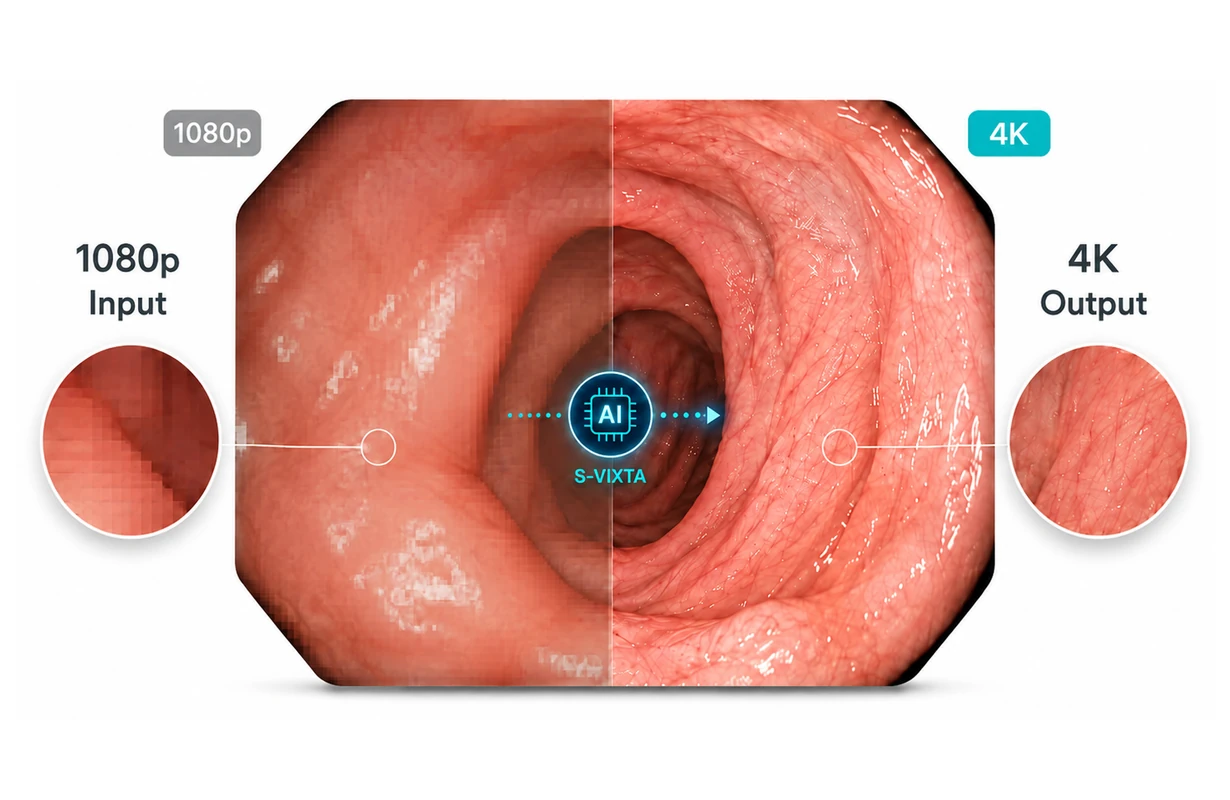
1080p to 4K Enhancement
NEXARA X 32 works with compatible native 4K video as well as 1080p / Full HD surgical and endoscopy feeds.
For 1080p input, the display uses the shared NEXARA 1080p-to-4K enhancement before showing the image on its native 3840 × 2160 panel. This lets the 32-inch 4K medical monitor operate in surgical and endoscopy systems that contain both Full HD equipment and native 4K sources.
1080p-to-4K enhancement belongs to the shared NEXARA core rather than the S-VIXTA-only layer, and enhanced Full HD should not be confused with native 4K acquisition.
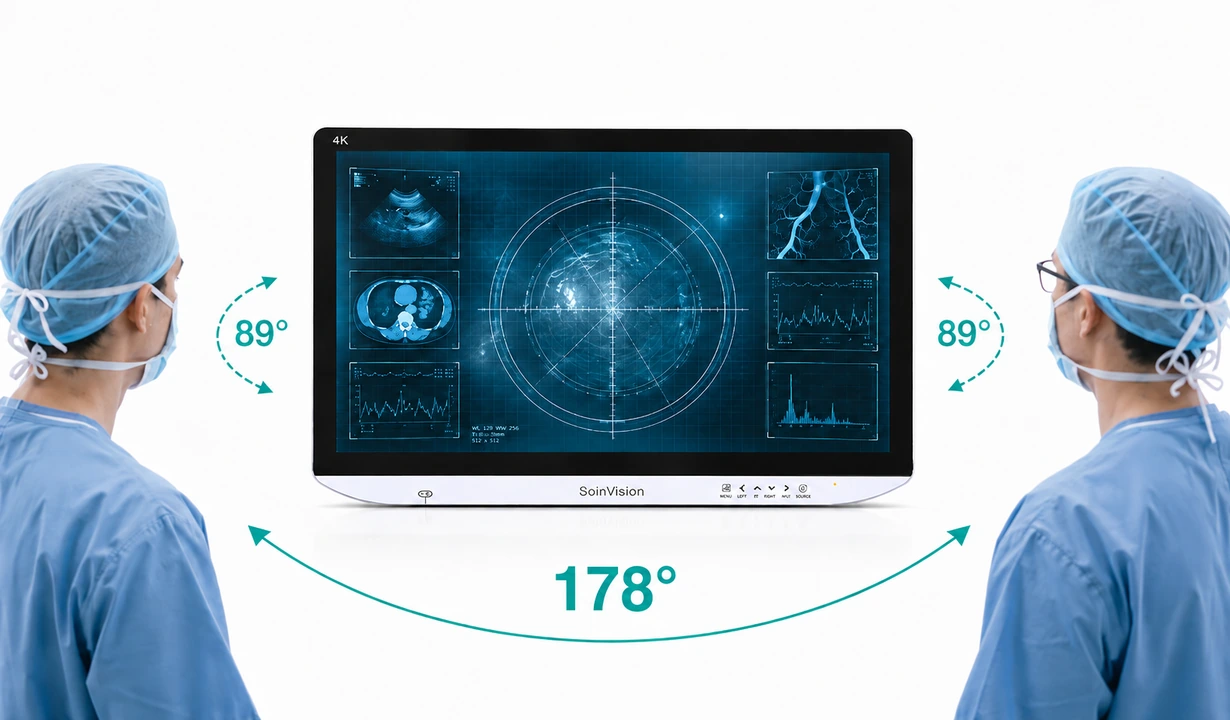
178° Wide Viewing Angle
A 178° viewing angle helps the surgical image remain visible to users positioned around NEXARA X 32, not only to someone directly in front of the screen.
For a 32-inch surgical display, this supports nearby team members who need to view the same image from different positions around the screen.
SDR & HDR Modes for Primary Surgical Viewing
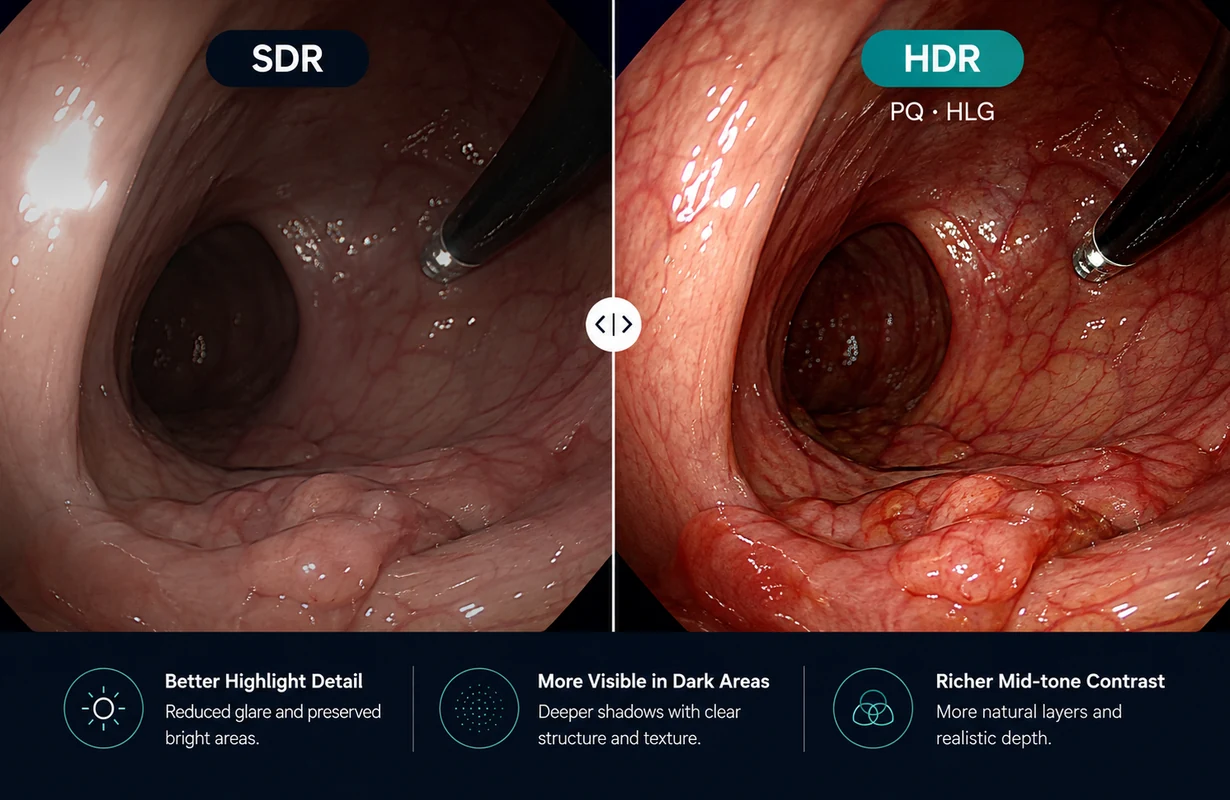
NEXARA X 32 supports both SDR and compatible HDR surgical and medical video sources through selectable display modes.
Conventional SDR presentation uses the appropriate standard modes, while HLG or PQ can be selected for compatible HDR signals so the display mode follows the connected source format.
Color Configuration for Primary Surgical Viewing
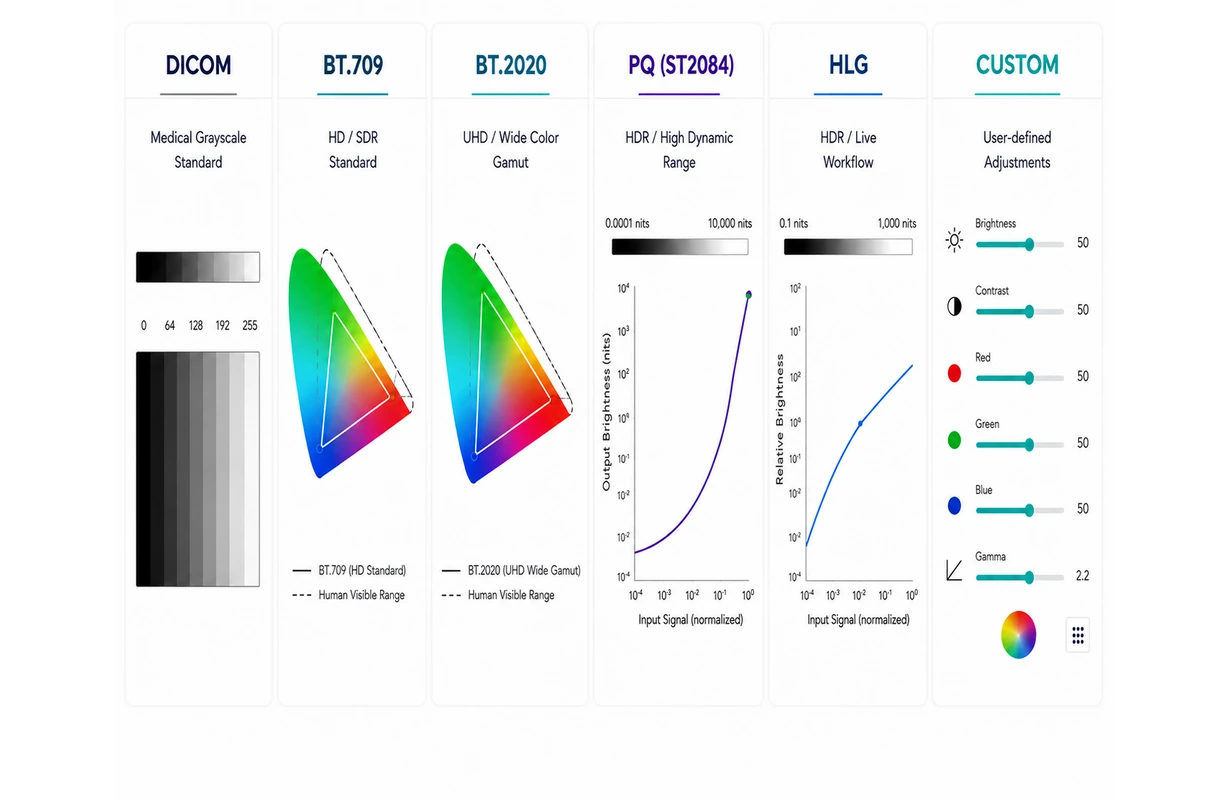
For source-specific color setup, NEXARA X 32 provides selectable imaging modes and color-space options for different surgical and medical video sources.
BT.709 and BT.2020 support SDR-oriented color workflows, while PQ and HLG are available for compatible HDR signals. Selectable color-space options including Native, BT.709, DCI-P3 and BT.2020 provide additional flexibility for source-related display configuration.
Gamma Control for Primary Surgical Viewing
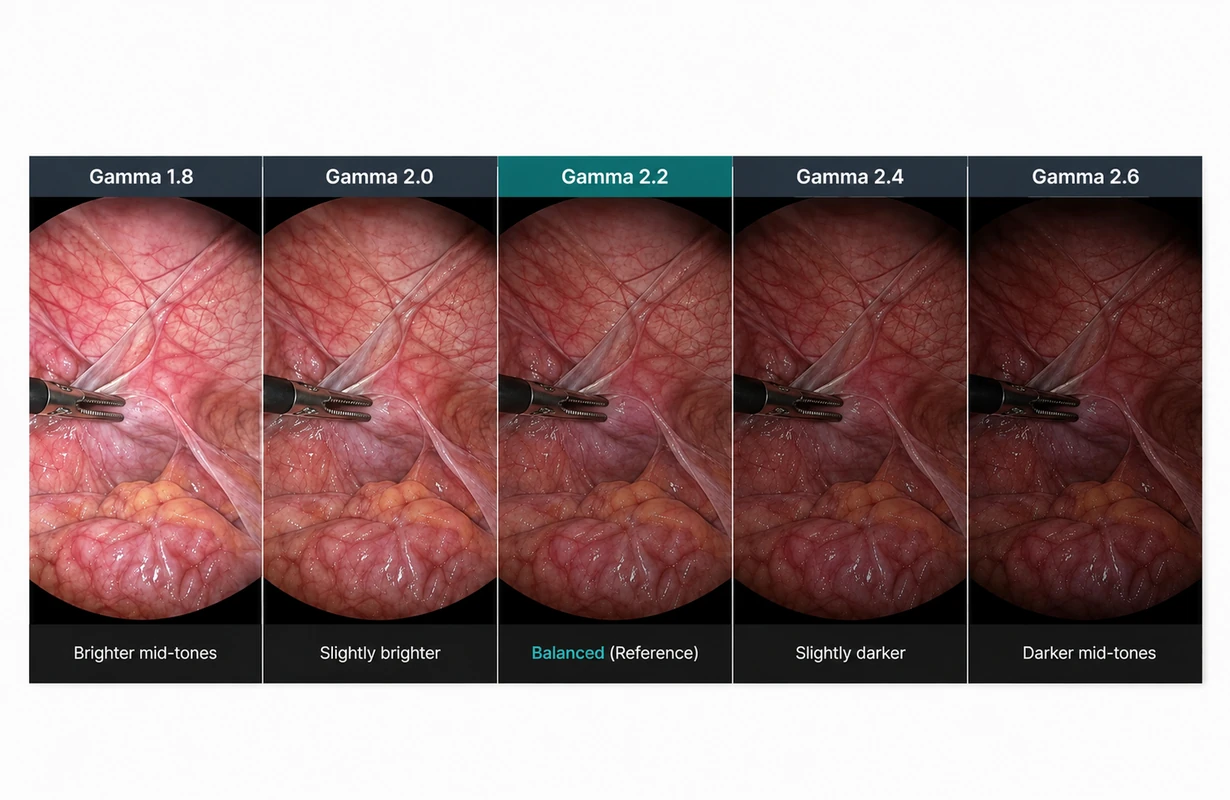
Gamma control on NEXARA X 32 adjusts image gradation and mid-tone presentation for the connected video source.
With settings ranging from Gamma 1.8 to 2.6 plus Linear, the tonal response can be adjusted according to the connected surgical or endoscopy video source, while Gamma 2.2 provides a balanced reference setting.

Single View

Quad View

Side 3-Split

Bottom 3-Split

PIP

PBP
Multi-View Display with PIP & PBP
NEXARA X 32 supports PIP and PBP for compatible video sources.
The 32-inch surgical monitor can keep a surgical or endoscopy image visible while a second compatible source appears in an inset or side-by-side layout.
This supports multi-source visualization on one screen while keeping Multi-view clearly separate from the S-VIXTA enhancement layer.
Image Orientation for Primary Surgical Viewing
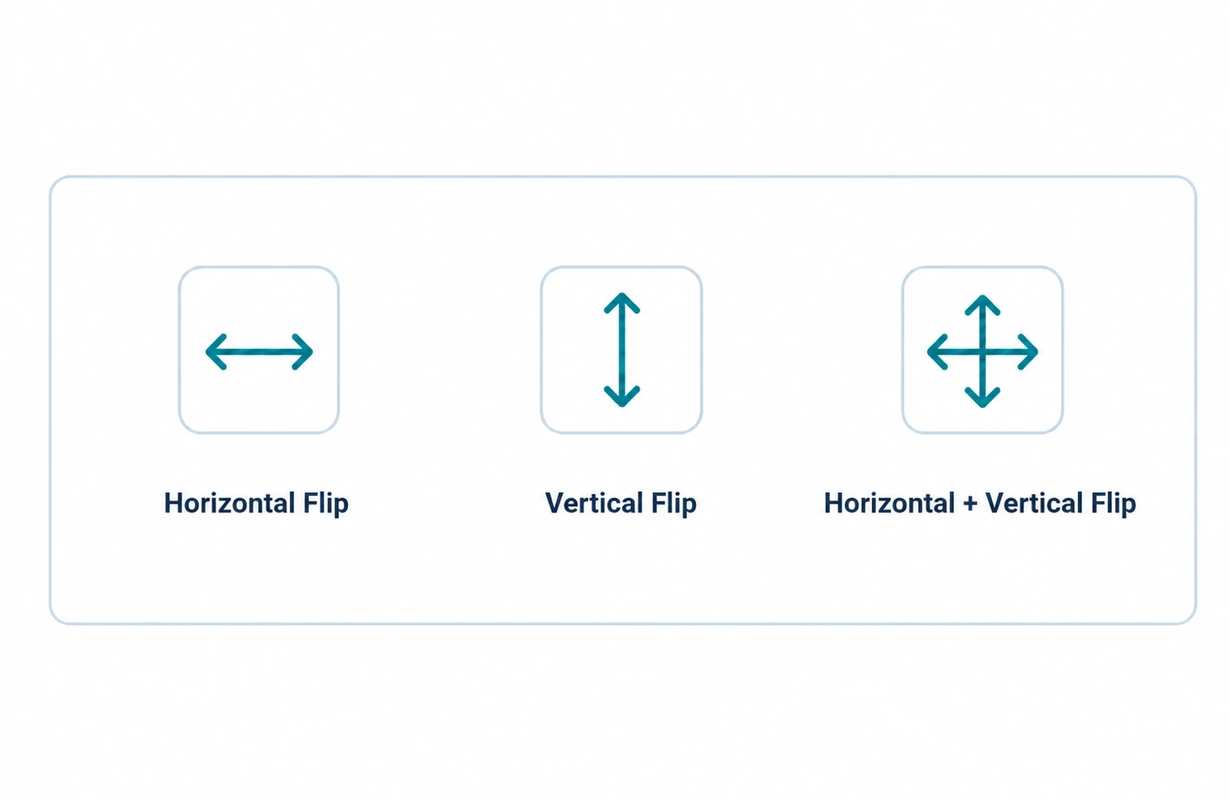
NEXARA X 32 provides horizontal, vertical and combined image flip for adjusting the presentation of compatible surgical and endoscopy video.
Image orientation can be changed directly at the display when the incoming camera image does not match the preferred viewing direction.
Other Special Functions
Image Configuration for Primary Surgical Viewing
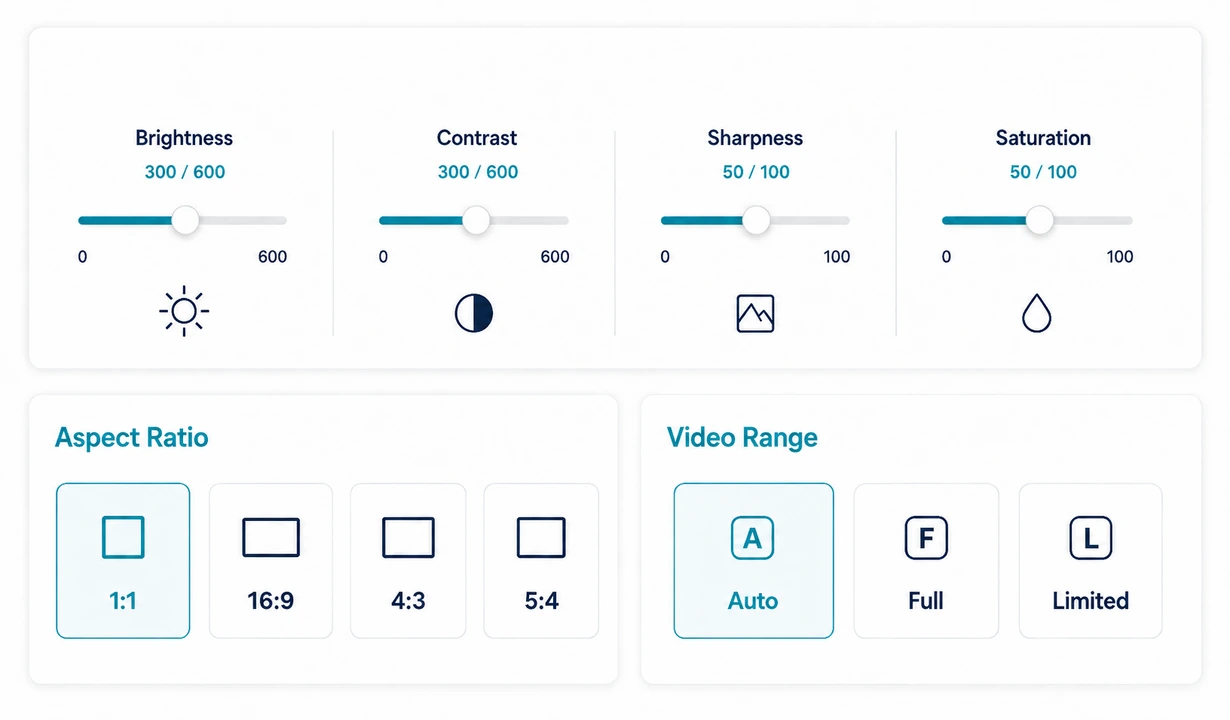
NEXARA X 32 provides manual image adjustment and source-format controls for different surgical and medical video inputs.
Brightness, contrast, sharpness and saturation can be refined directly at the monitor, while selectable aspect ratio and video range settings help adapt the on-screen presentation to compatible surgical and endoscopy sources.
Available configurations include 1:1, 16:9, 4:3 and 5:4 aspect ratios, together with Auto, Full and Limited video-range options.
Color Temperature and RGB Gain Configuration
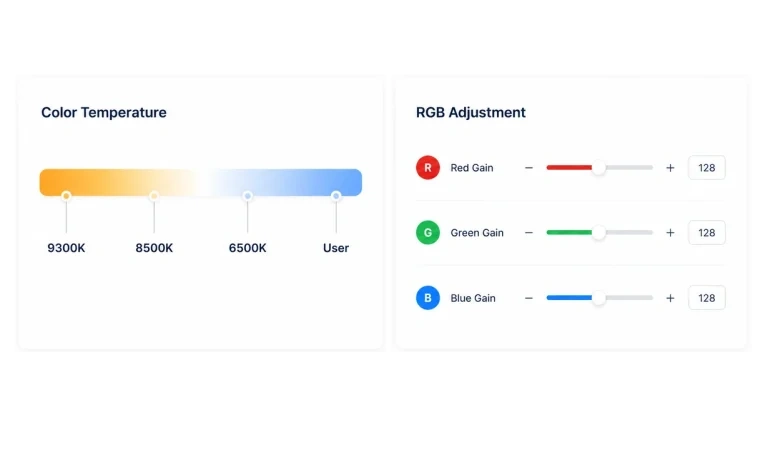
NEXARA X 32 provides 9300K, 8500K, 6500K and User settings for color-temperature configuration.
User mode enables independent R, G and B channel-gain adjustment from 0 to 600, providing more detailed control over color balance for different connected video sources.
Freeze Frame for Surgical Video
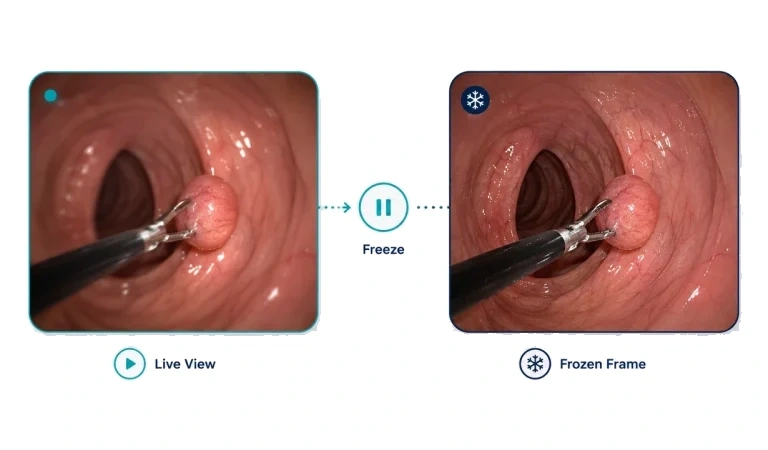
NEXARA X 32 can hold the current surgical or medical video frame on screen when a static image needs to remain visible for reference.
Freeze Frame operates at the display, allowing the connected video source to continue running.
NEXARA X
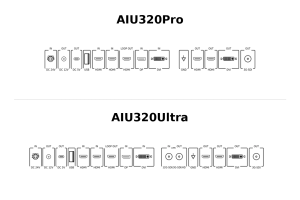
NEXARA X 32-Inch Rear I/O Configurations
AIU320Pro and AIU320Ultra share the same 32-inch NEXARA X visualization and S-VIXTA enhancement platform.
Their distinction is primarily in connectivity, allowing the AIU320 configuration to be selected according to the required video interfaces and signal-routing architecture.
NEXARA X AIU320Pro
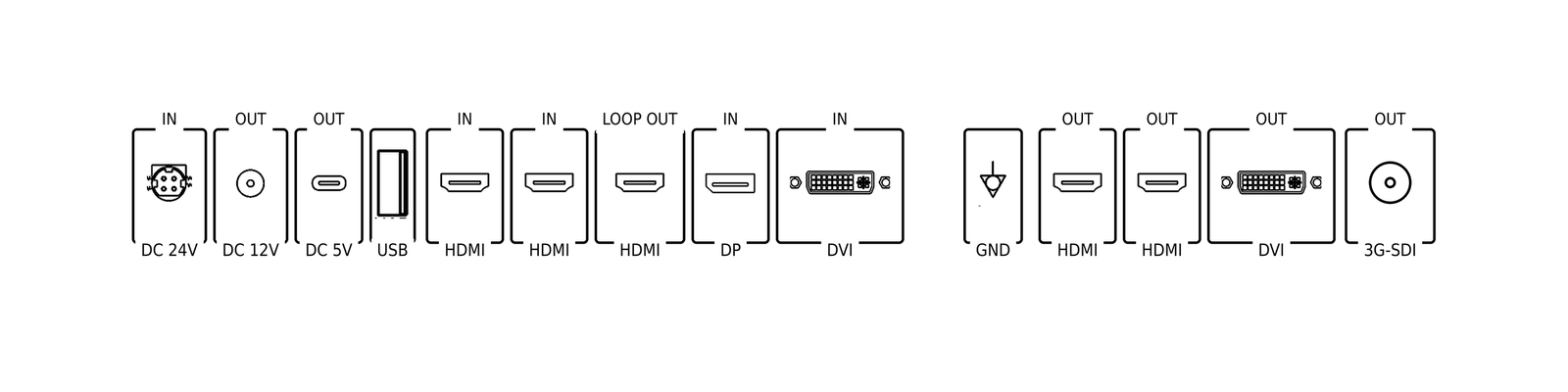
AIU320Pro combines the 32-inch NEXARA X 4K platform and integrated S-VIXTA enhancement with HDMI, DisplayPort and DVI-based connectivity for medical video system integration. It is suitable for systems that do not require the additional SDI input/output available on AIU320Ultra.

Power & Utility
Includes DC 24V IN, DC 12V OUT, DC 5V OUT, USB-A, and EQP GND for system integration and accessory support.

Video I/O
Inputs: HDMI IN ×2 / DisplayPort IN ×1 / DVI IN ×1
Outputs: HDMI OUT (Loop OUT) / HDMI OUT (Clone OUT) ×2 / DVI OUT (Clone OUT) / 3G-SDI OUT (Clone OUT)

Interface Highlights
- Supports flexible video signal routing and system integration.
- Suitable for operating room environments requiring multiple display outputs.
NEXARA X AIU320Ultra
AIU320Ultra retains the same 32-inch NEXARA X display and S-VIXTA enhancement platform while adding SDI input/output connectivity for systems that require an SDI-based signal path. Choose AIU320Ultra when the connected equipment or system architecture specifically requires SDI integration.
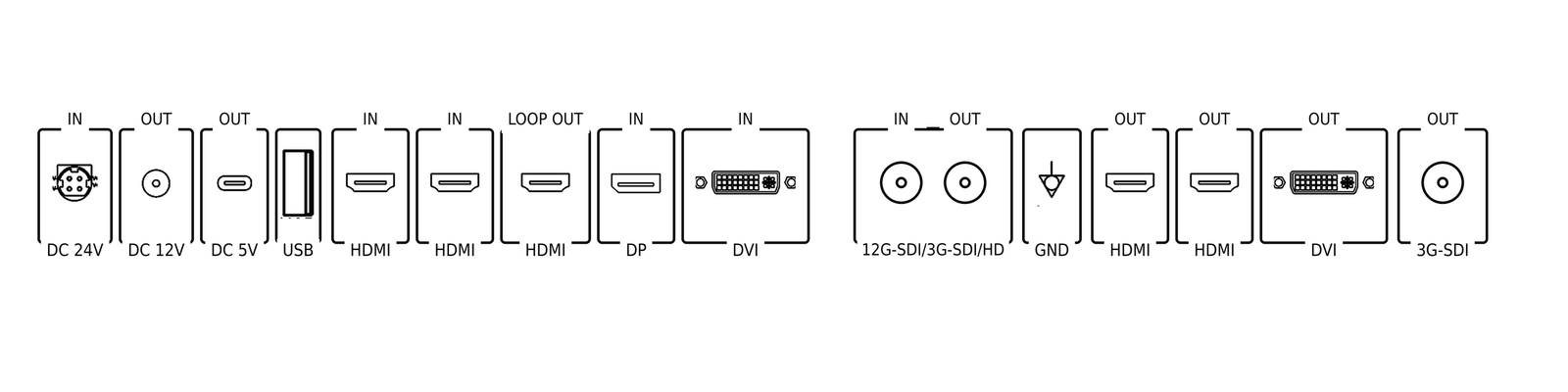
Power & Utility
Includes DC 24V IN, DC 12V OUT, DC 5V OUT, USB-A, and EQP GND for integrated medical system applications.
Video I/O
Inputs: HDMI IN ×2 / DisplayPort IN ×1 / DVI IN ×1 / 12G-SDI / 3G-SDI / HD IN
Outputs: HDMI OUT (Loop OUT) / HDMI OUT (Clone OUT) ×2 / DVI OUT (Clone OUT) / 3G-SDI OUT (Clone OUT) / 12G-SDI / 3G-SDI / HD OUT
Interface Highlights
- Supports SDI-based medical video workflows.
- Provides expanded signal routing capability for complex surgical integration environments.
TECHNICAL SPECIFICATIONS
SOIN NEXARA X 32-Inch 4K Surgical Monitor
Use the specifications below to evaluate the AIU320 platform against the project’s display, connectivity, mounting and installation requirements.
AIU320Pro and AIU320Ultra retain the same 32-inch NEXARA X visualization foundation while providing different rear-interface configurations.

32"
Screen Size

3840 × 2160
Resolution

IPS LCD
Panel Type

178° / 178°
Viewing Angle

12.5 kg
Net Weight

100 × 100 / 100 × 200 mm
VESA Mounting
* Specifications are subject to change without prior notice.
Display & Panel
Image & Color
Mechanical & Mounting
Power
PRODUCT DOCUMENTATION
Product Documents & Downloads
Access the NEXARA X 32 operating guide and AIU320 model catalogs for setup, technical specifications and configuration reference.
For additional product or configuration support, contact SOINVISION.

User Manual
NEXARA X 32-inch 4K Surgical Monitor
AIU320Pro Product Catalog
AIU320Pro medical LCD display
AIU320Ultra Product Catalog
AIU320Ultra medical LCD display
FAQ
Frequently Asked Questions About the NEXARA X 32-Inch 4K Surgical Monitor
Answers to common questions about applications, interfaces, system compatibility, and configuration support.
Why choose the 32-inch format in the NEXARA X range?
NEXARA X 32 provides more main viewing area than the compact 27-inch model while remaining easier to integrate than the 43-inch large-format option. It is a balanced choice when the display is intended to serve as the primary surgical viewing screen.
What does S-VIXTA add to the NEXARA X 32 platform?
S-VIXTA adds enhanced visualization controls to the shared NEXARA 4K platform. These include Global Optimize, adjustable AI Enhancement Level 0–10, Defog, Depth Enhancement, and Vessel & Tissue Visibility Enhancement.
How do I choose between AIU320Pro and AIU320Ultra?
Both models use the same 32-inch NEXARA X display and S-VIXTA platform. AIU320Pro supports the standard HDMI, DisplayPort and DVI-based configuration, while AIU320Ultra adds SDI input/output for systems that require SDI integration.
Can Full HD video sources be used on the 4K NEXARA X 32 display?
Yes. The 3840 × 2160 panel supports compatible native 4K signals, while compatible 1080p sources can use 1080p-to-4K image enhancement for display on the 4K screen. This enhancement does not convert the original Full HD source into native 4K acquisition.
Is NEXARA X 32 suitable for surgical and endoscopy video systems?
Yes. Its 32-inch viewing area, 4K platform and S-VIXTA enhancement capabilities make it suitable for surgical visualization, endoscopy and medical video integration. The appropriate AIU320 configuration can be selected according to the interfaces required by the system.
When should I choose the standard NEXARA 32 instead?
Choose the standard U320 family when the shared NEXARA 4K visualization and image-control functions already meet the project requirements. Choose NEXARA X 32 when the additional S-VIXTA enhancement capabilities of the AIU320 family are required.
Choose the Right NEXARA X 32 Configuration
Choose AIU320Pro for standard connectivity, or AIU320Ultra when SDI input/output is required.
Contact SOINVISION for pricing and model selection.