
MILESTONE
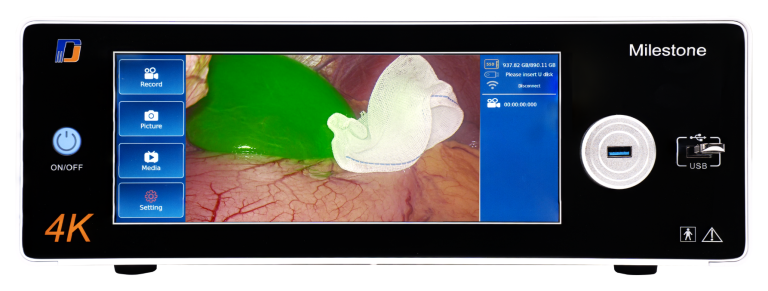
External Medical Video Image Processor
Extend the Capabilities of Your Existing Endoscopy System.
Add real-time video image processing to a compatible endoscopy camera system without replacing the existing imaging source. Milestone supports 1080p-to-4K enhancement, S-VIXTA image enhancement, and flexible video processing for existing endoscopy workflows.
Available:
Milestone S
Milestone Ultimate
WHY IMAGE ENHANCEMENT MATTERS IN ENDOSCOPY
Address Common Endoscopy Imaging Challenges.
Endoscopy video can be affected by limited fine-detail visibility, variable color and contrast, haze, and image noise. Milestone provides adjustable processing to improve image presentation across these common viewing conditions.
Common Imaging Challenges
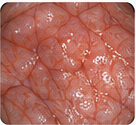
Limited Fine-Detail Visibility
Fine tissue structures and subtle visual details may be difficult to distinguish in the displayed image.
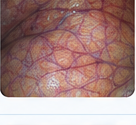
Variable Color & Contrast
Lighting conditions and source characteristics can affect color and contrast presentation across the video image.

Haze & Image Noise
Haze, mist, and visible video noise can reduce image clarity and obscure fine visual detail.

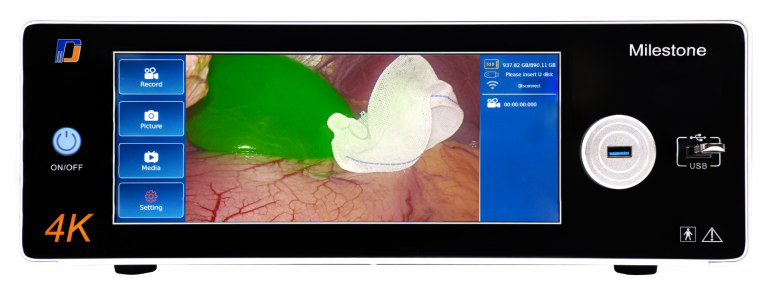
Milestone Image-Processing Response
Improved Detail Visibility
Enhances visible fine structures and image detail for clearer presentation.
More Consistent Color & Contrast
Provides adjustable color and contrast processing for the connected video source.

Clearer Display in Challenging Conditions
Helps reduce the visual impact of haze and image noise for a clearer displayed image.

Keep Your Existing System
Add image processing without replacing the existing endoscopy camera system.

Designed for Compatible Integration
Works with tested endoscopy video systems through compatible HDMI or SDI connections.

Adjustable Processing
Tune supported parameters to suit the connected video source and viewing workflow.

Real-Time Image Processing
Process the incoming endoscopy video signal as part of the live video path.
IMAGE ENHANCEMENT
See More from the Video You Already Have.
Milestone processes the incoming endoscopy video signal in real time and adds image-enhancement capabilities within the existing video workflow.
Depending on the selected function, it can enhance Full HD video for 4K presentation, reduce haze, strengthen depth-related visual cues, improve vessel and tissue visibility, and apply Global Optimize for broader image-level enhancement.
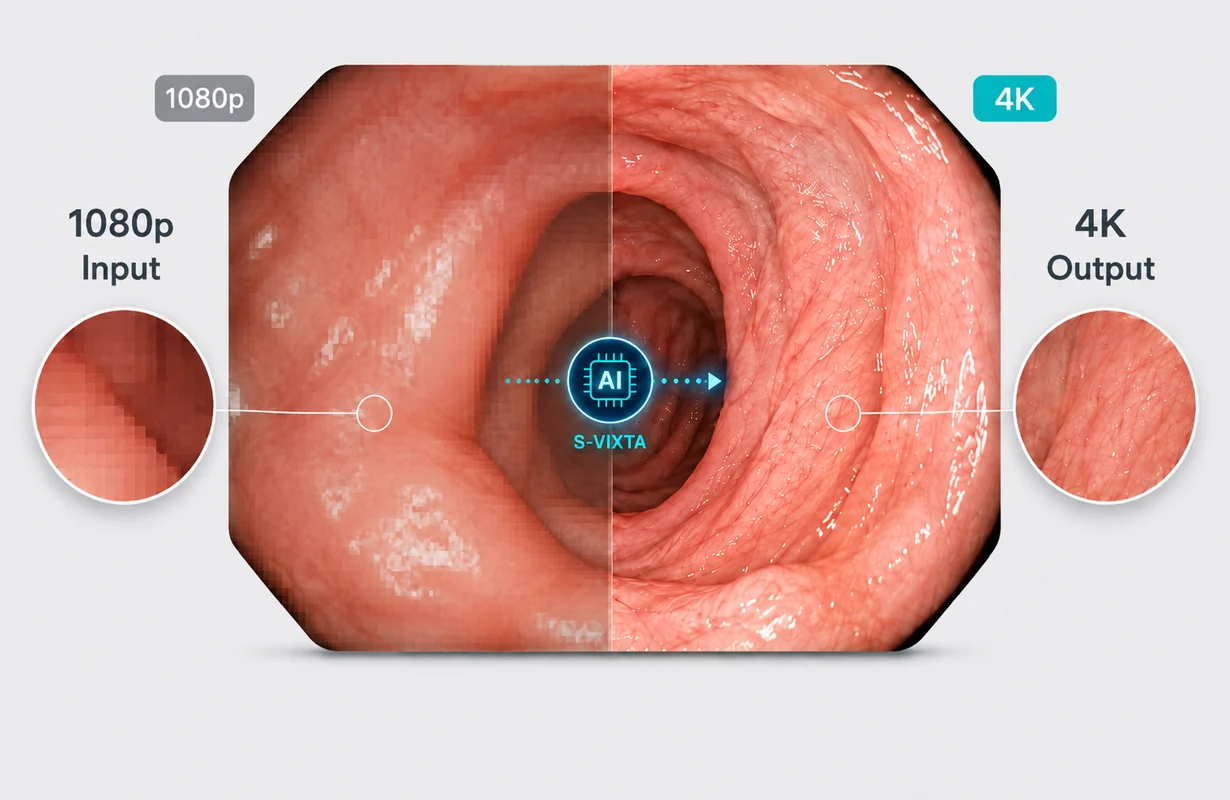
1080p to 4K Upscaling
Many existing medical endoscopy camera systems output Full HD video, while modern medical displays may support 4K resolution.
Milestone processes 1080p endoscopic video for 4K display output, enhancing edge definition, visible detail, and overall image clarity for presentation on a compatible 4K medical display.
This processing does not create native 4K source detail from Full HD input. Instead, it helps existing 1080p video make better use of a 4K display workflow.
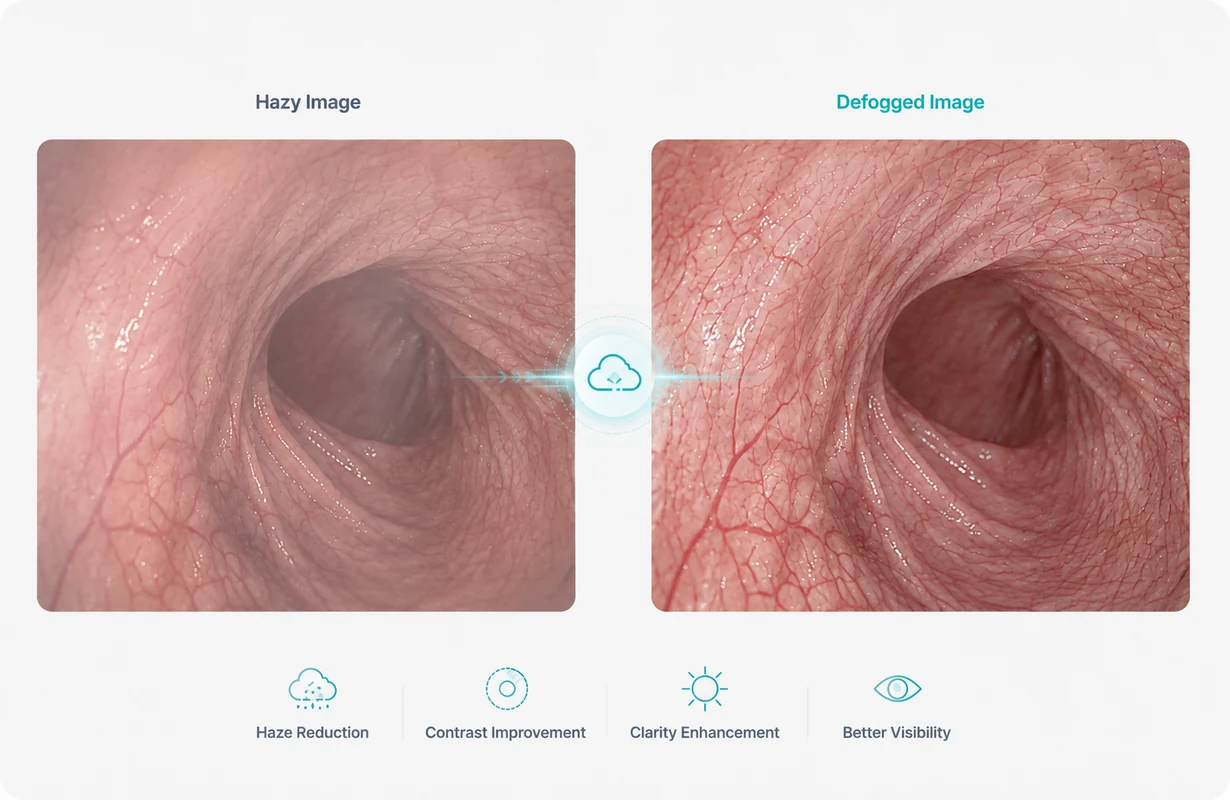
S-VIXTA Intelligent Defog
Haze and mist can reduce contrast in endoscopic video, making tissue structures and fine visual details more difficult to distinguish.
S-VIXTA Intelligent Defog reduces the visual effect of haze and mist in the connected endoscopy video, helping improve local visibility and overall image clarity.
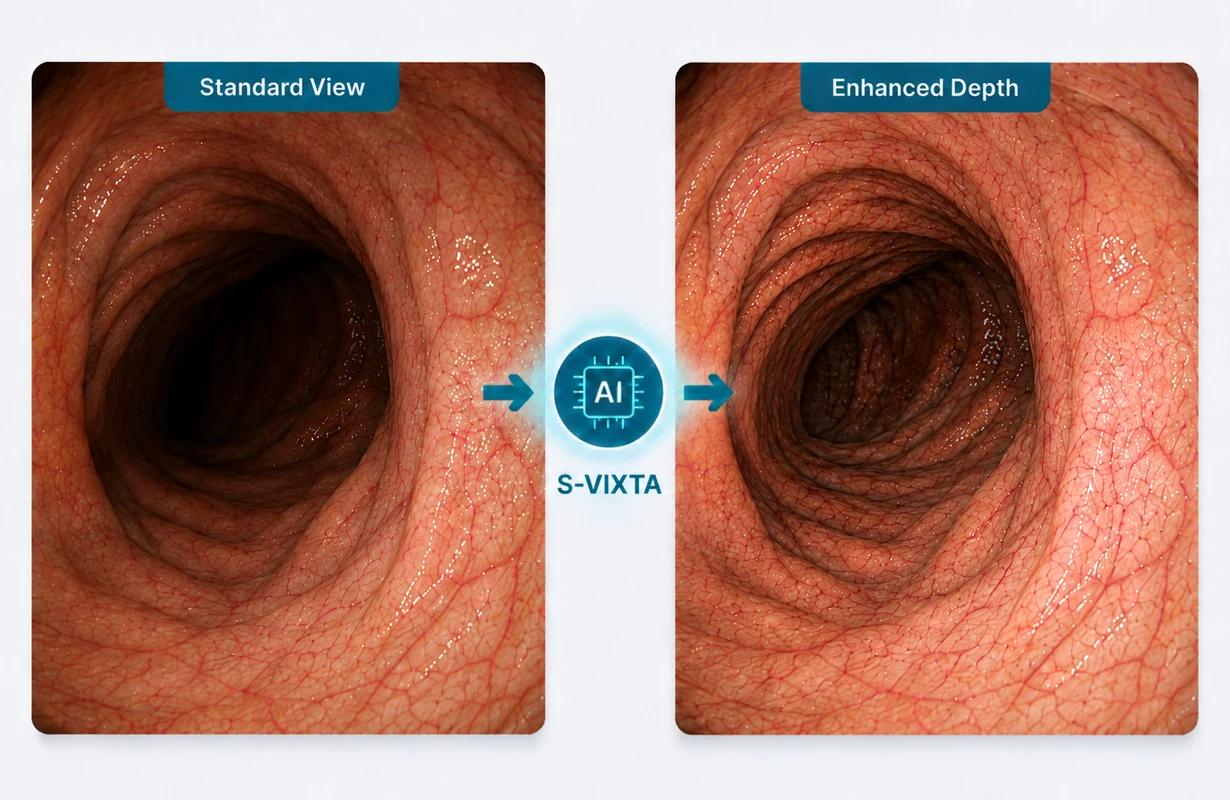
S-VIXTA Depth Enhancement
Differences in contrast, surface texture, and structural boundaries can affect how clearly tissue contours and depth-related visual information are perceived on the display.
S-VIXTA Depth Enhancement enhances depth-related visual cues and structural definition, helping tissue contours and layered structures appear more distinct in the displayed image.
Vessel & Tissue Visibility Enhancement
Fine vessel patterns and subtle tissue structures can sometimes have limited separation from surrounding areas in the original endoscopic image.
Milestone enhances visible vessel patterns, tissue boundaries, and fine structural detail, helping these structures appear easier to distinguish within the displayed image.
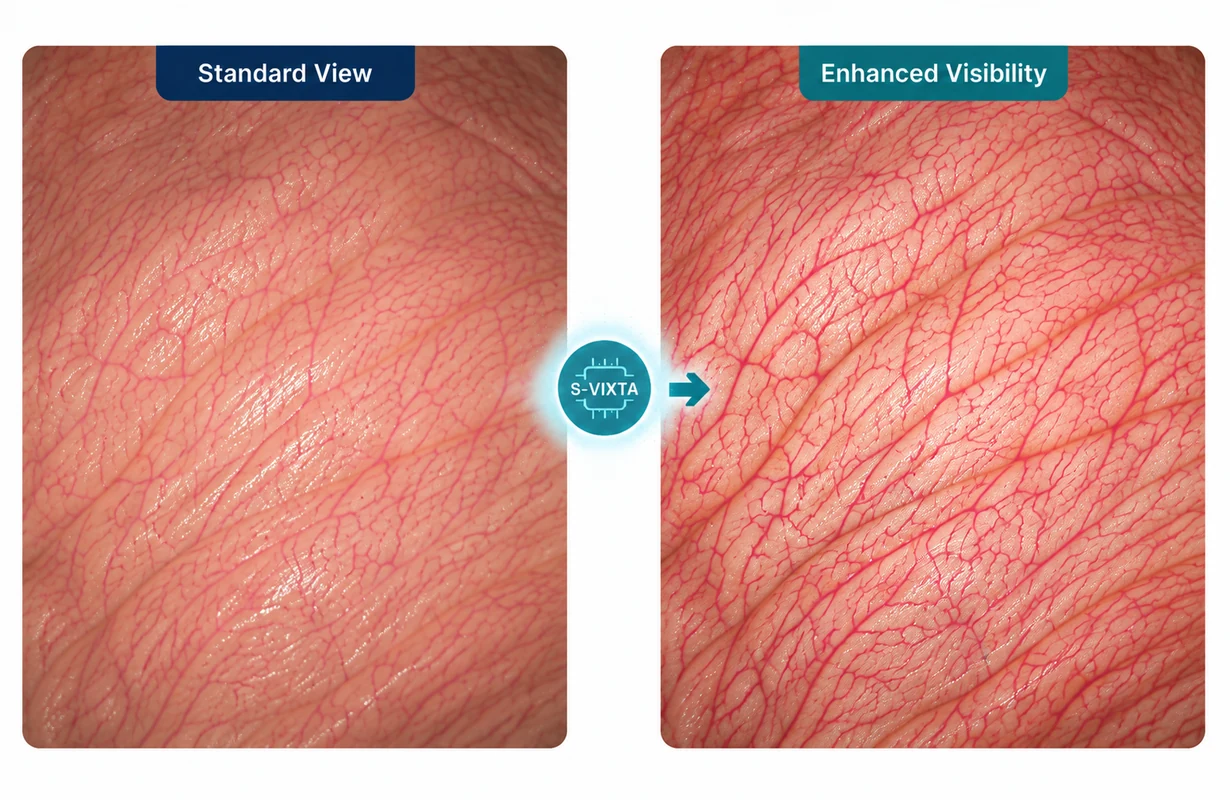

IMAGE PROCESSING CONTROLS
Intuitive Controls. Powerful Enhancement.
Adjust supported image-processing parameters according to the connected video source and viewing requirements.
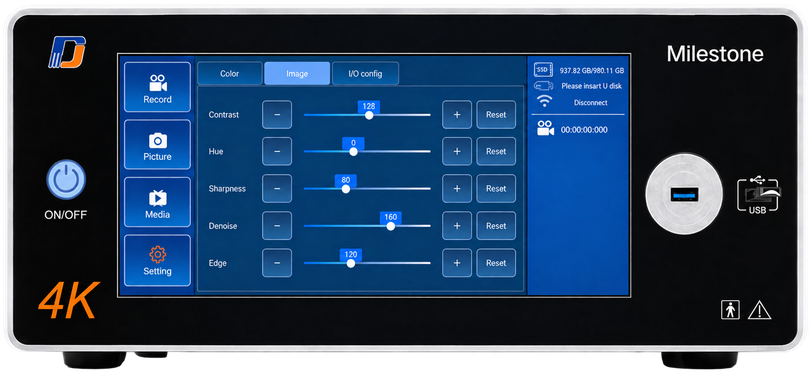
Image Enhancement
Adjust the enhancement level to strengthen visible detail and edge definition.
1–200
3D Noise Reduction
Reduce visible image noise while helping preserve useful image detail.
0–255
Color Adjustment
Independently adjust red, green, and blue gain together with saturation for the connected video source.
Red Gain: 0–255
Green Gain: 0–255
Blue Gain: 0–255
Saturation: 0–255
Brightness & Contrast
Fine-tune brightness and contrast independently for the connected video source.
Brightness:
−128 to +127
Contrast: 0–255
2K / 4K Processing
Select the appropriate image-processing mode for the connected video workflow.
2K / 4K
HDMI / SDI Input Selection
Select the active video input according to the connected endoscopy camera system.
HDMI / SDI
05
ULTIMATE RECORDING WORKFLOW
Add Recording. Save. Review. Export.
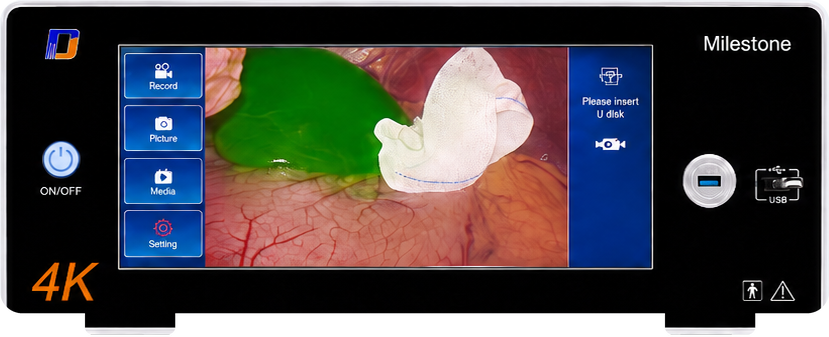
Milestone Ultimate extends the same image-processing platform with still-image capture, video recording, local media storage, playback, and USB export through its USB 3.0 interface.
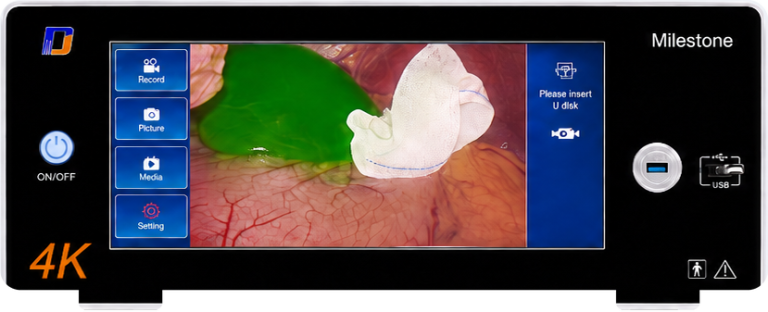
1. Capture
Save still images from the current endoscopy video.
2. Record
Record the connected endoscopy video for later review.
3. Store
Keep captured images and recorded videos in local media storage.
4. Review
Browse and play stored image and video files through the Milestone media interface.
5. Export
Copy selected image and video files to a USB storage device through the USB 3.0 port.
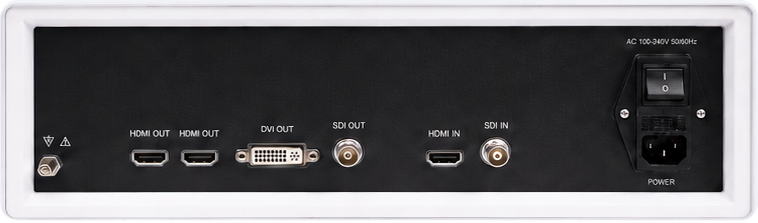
Rear panel reference
Milestone S focuses on real-time image processing and enhancement.
Choose Milestone Ultimate when integrated image capture, recording, playback, and USB export are also required.
06
TECHNICAL SPECIFICATIONS
Milestone S and Milestone Ultimate share the same core image-processing platform.
Ultimate adds USB 3.0-based capture, recording, playback, and media export functions.
COMPATIBLE ENDOSCOPY CAMERA SYSTEMS
Tested for integration with selected endoscopy camera systems from Olympus, KARL STORZ, Stryker, Richard Wolf, and FSN Medical using compatible HDMI or SDI video connections.
Final integration depends on the source interface, signal resolution, routing configuration, and required output path.

Olympus
Endoscopy Systems

KARL STORZ
Endoscopy Systems

Stryker
Endoscopy Systems

Richard Wolf
Endoscopy Systems

FSN Medical
Imaging Systems

Other Compatible
Endoscopy Video Systems
TECHNICAL PARAMETERS
1. VIDEO INTERFACE
VIDEO INPUT
| Interface | Quantity | Max. Resolution |
|---|---|---|
| HDMI IN | ×1 | 3840 × 2160 |
| SDI IN | ×1 | 1920 × 1080 |
VIDEO OUTPUT
| Interface | Quantity | Max. Resolution |
|---|---|---|
| HDMI OUT | ×2 | 3840 × 2160 |
| DVI OUT | ×1 | 3840 × 2160 |
| SDI OUT | ×1 | 1920 × 1080 |
2. GENERAL SPECIFICATIONS
| Item | Specification |
|---|---|
| Dimensions (W × H × D) | 400 × 335 × 143 mm |
| Weight | 11 kg |
| Power Supply | AC 100–240 V, 50/60 Hz |
| Power Consumption | ≤ 60 W |
| Operating Temperature | +5°C to +40°C |
| Operating Humidity | 30%–85% RH, non-condensing |
| Storage Temperature | −20°C to +55°C |
| Touchscreen Display | 10.2-inch touchscreen |
3. IMAGE PROCESSING PARAMETERS
| Parameter | Adjustment Range |
|---|---|
| Image Enhancement | 1–200 |
| 3D Noise Reduction | 0–255 |
| Contrast | 0–255 |
| Saturation | 0–255 |
| Red / Green / Blue Gain | 0–255 |
| Brightness | −128 to +127 |
CONFIGURATION OPTIONS
| Feature | Milestone S | Milestone Ultimate |
|---|---|---|
| 10.2-inch Touchscreen | ✓ | ✓ |
| Core Image Processing | ✓ | ✓ |
| Image Enhancement | ✓ | ✓ |
| 3D Noise Reduction | ✓ | ✓ |
| Color Adjustment | ✓ | ✓ |
| HDMI / SDI Processing | ✓ | ✓ |
| USB 3.0 Port | — | ✓ |
| Image Capture | — | ✓ |
| Video Recording | — | ✓ |
| Local Media Playback | — | ✓ |
| USB Export | — | ✓ |
Choose Milestone S for image processing and enhancement alone, or Milestone Ultimate when capture, recording, playback, and USB-based media export are also required.
Specifications are subject to change without notice. Please contact SOINVISION for the latest product information and system compatibility details.
07
FAQ
Find answers to common questions about Milestone and its integration with your imaging systems.
What is SOINVISION Milestone?
SOINVISION Milestone is an external medical video image processor designed to add real-time image processing and enhancement to compatible endoscopy and surgical video workflows. It receives video from the connected camera system, processes the signal, and sends the processed output to the connected medical display.
Which endoscopy systems are compatible with Milestone?
Milestone has been tested with selected endoscopy camera systems from Olympus, KARL STORZ, Stryker, Richard Wolf, and FSN Medical. Integration depends primarily on the available HDMI or SDI video connection, signal resolution, routing configuration, and required output path.
What is the difference between Milestone S and Milestone Ultimate?
Both versions share the same core image-processing and enhancement capabilities. Milestone Ultimate adds the USB 3.0-based media functions required for image capture, video recording, playback, and export.
Does Milestone replace the existing endoscopy camera system?
No. Milestone is added to the existing video workflow. The connected endoscopy camera system remains the video source, while Milestone processes its output before sending the processed video to the medical display.
What video interfaces does Milestone support?
Milestone accepts HDMI and SDI video input and provides HDMI, DVI, and SDI output options. Supported resolution depends on the selected interface; detailed limits are listed in the Technical Specifications section.
Does Milestone support image capture and video recording?
Milestone Ultimate supports image capture, video recording, local media playback, and USB export. Milestone S provides the shared image-processing functions without these media features.
How is Milestone different from a traditional endoscopy video processor?
Traditional endoscopy video processors are commonly core components of dedicated endoscopy systems and may be designed for specific scopes or camera platforms. Milestone works differently: it is added after a compatible endoscopy camera system within the existing video path, processes the incoming signal, and sends the enhanced output to the connected medical display. It does not replace the existing camera system or light source.
Need integration support?
Discuss your existing endoscopy video workflow with SOINVISION. We can help confirm source interfaces, signal resolution, output requirements, and the appropriate Milestone configuration for your system.
For more information or technical support, please contact SOINVISION.