
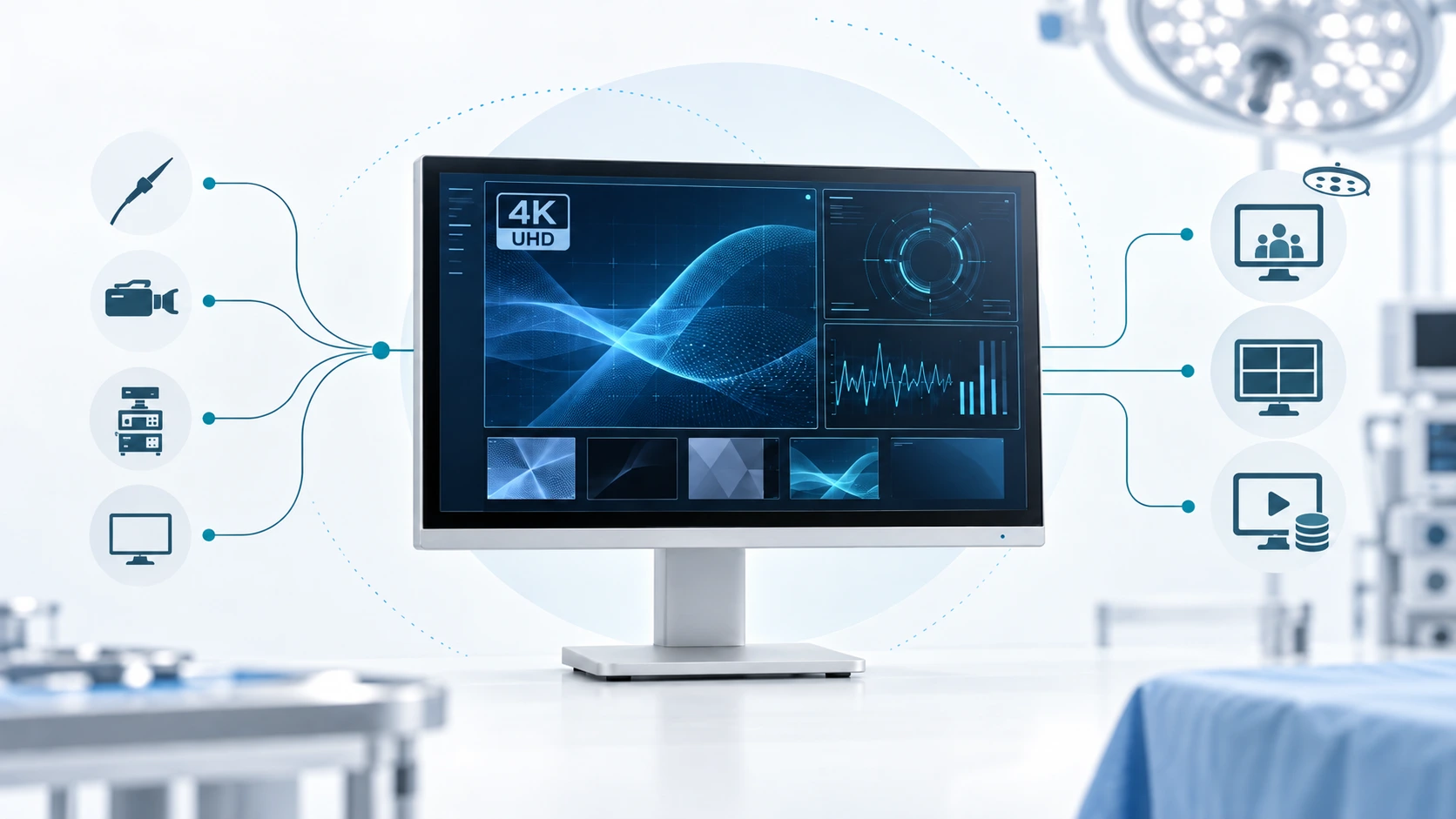
Choosing a 4K surgical monitor starts with the imaging system it will connect to.
Two monitors may offer the same 3840 × 2160 resolution and still fit very different projects. The camera processor may use a different output format, the installation may require SDI rather than HDMI, or the display may need to feed a recorder or second monitor. Screen size also has to suit the viewing distance and mounting position.
For an endoscopy manufacturer, distributor, or system integrator, the monitor is best evaluated as part of the complete video chain rather than as an isolated product.
The following factors provide a practical framework for selecting the right configuration.
1. Define the Surgical Video Setup First
Start with the role the monitor will play.
A display mounted on an endoscopy cart has different connectivity and viewing needs from a larger screen positioned elsewhere in the operating room. A primary surgical display also serves a different purpose from a secondary monitor used for observation or video distribution. For more application context, see SOINVISION’s endoscopy and OR applications.
Three factors establish the basic direction:
- the imaging equipment connected to the monitor;
- the intended installation and viewing position;
- whether the video ends at the monitor or continues to other devices.
The last point is easy to overlook. A simple setup may consist of a processor connected directly to one monitor. A more complex video chain can include a recorder, second display, image-processing platform, or OR video infrastructure downstream.
It also matters whether the project is being designed from scratch or added to existing equipment. A new installation gives the integrator more freedom to select compatible components together. An upgrade often has to work within interfaces and signal formats that are already fixed.
Once the setup is clear, the monitor specifications become much easier to evaluate.
Quick Configuration Decision Table
The following table summarizes how the main project inputs affect monitor configuration.
| What to Confirm | Why It Matters | Configuration Impact |
|---|---|---|
| Source output | Establishes the actual resolution, frame rate, signal format, and available interfaces | Determines which monitor inputs and signal formats must be supported |
| Primary or secondary display role | Defines how the monitor will be viewed and how central it is to the video setup | Influences screen size, positioning, and required workflow functions |
| Viewing distance and number of viewers | Determines how much usable image area is needed in the intended position | Helps narrow the appropriate display-size class |
| Recorder, second display, or other downstream device | Means the video signal must continue beyond the monitor | May require loop-through or additional video output capability |
| Additional image enhancement | Determines whether display-only operation is sufficient or another processing stage is needed | Helps distinguish standard display, built-in enhancement, and external processing configurations |
| Mounting and installation conditions | Determines whether the selected display can be physically integrated into the cart, wall, arm, or other support | Affects size, weight, VESA, cable access, and mounting requirements |
This table is a starting point rather than a substitute for checking the actual specifications of the camera processor, monitor, and other devices in the video chain.
2. Check What the Video Source Actually Outputs
A 4K surgical monitor commonly provides a native resolution of 3840 × 2160 pixels, compared with 1920 × 1080 for Full HD.
That difference matters most when the upstream imaging equipment also provides a compatible 4K signal.
Start with the camera console or video processor and identify four things:
- output resolution;
- frame rate;
- signal format;
- available video outputs.
These describe what the source is actually sending before monitor connectivity is considered.
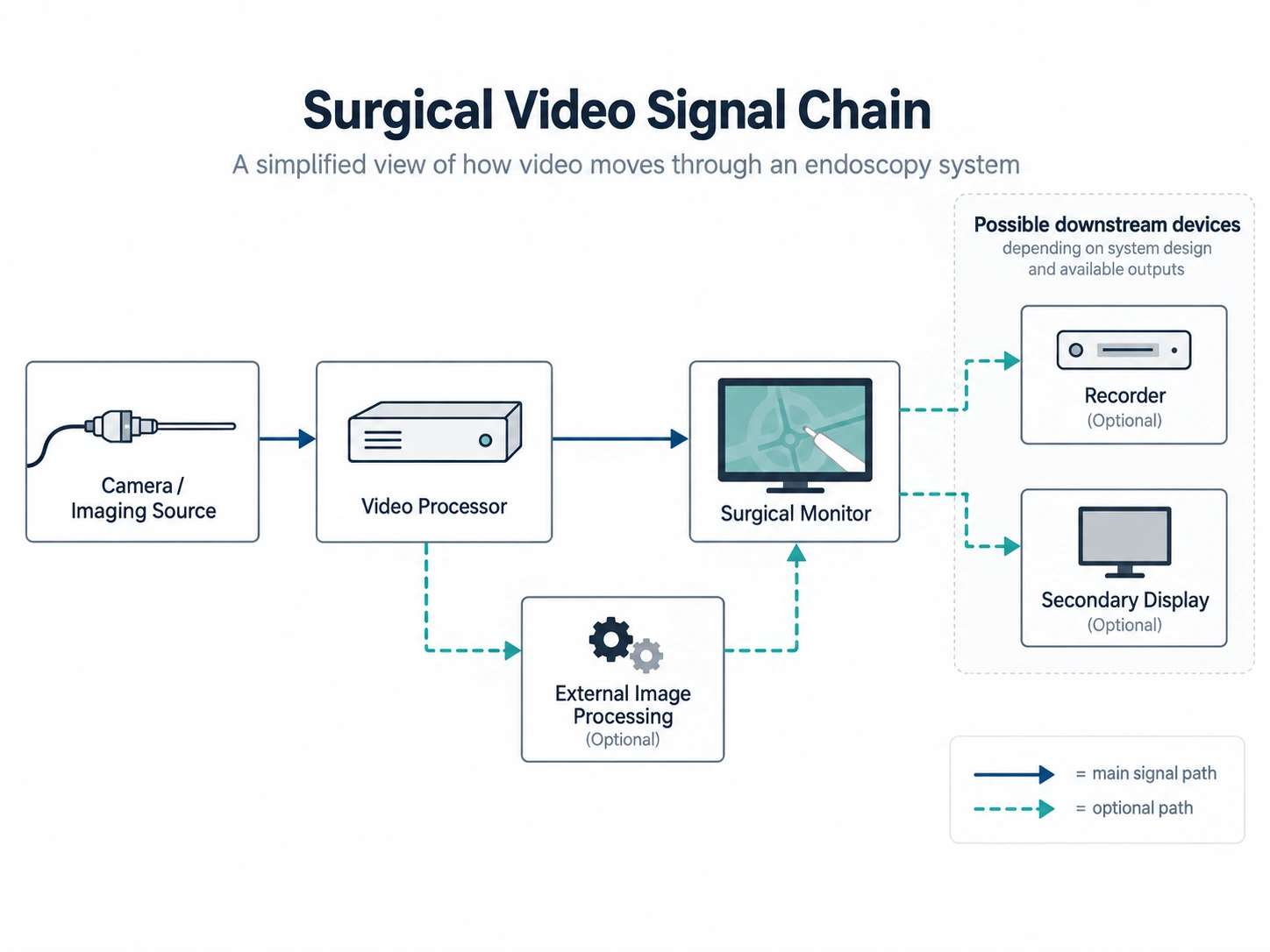
A simplified chain may look like this:
Camera or imaging source → video processor → transmission interface → surgical monitor
An imaging platform, for example, may support 4K through one connection while another output remains limited to Full HD. Frame rate and signal format can also vary between outputs.
This is why a “4K” label on the camera system alone is not enough. What matters is the signal available at the output that will actually feed the display.
A Full HD source can still be shown on a 4K panel. Some display or processing platforms can also upscale the incoming image for 4K output. Upscaling, however, should be distinguished from native 4K acquisition: it does not create the same original image information as a camera system capturing in native 4K.
3. Match Screen Size to the Viewing Conditions
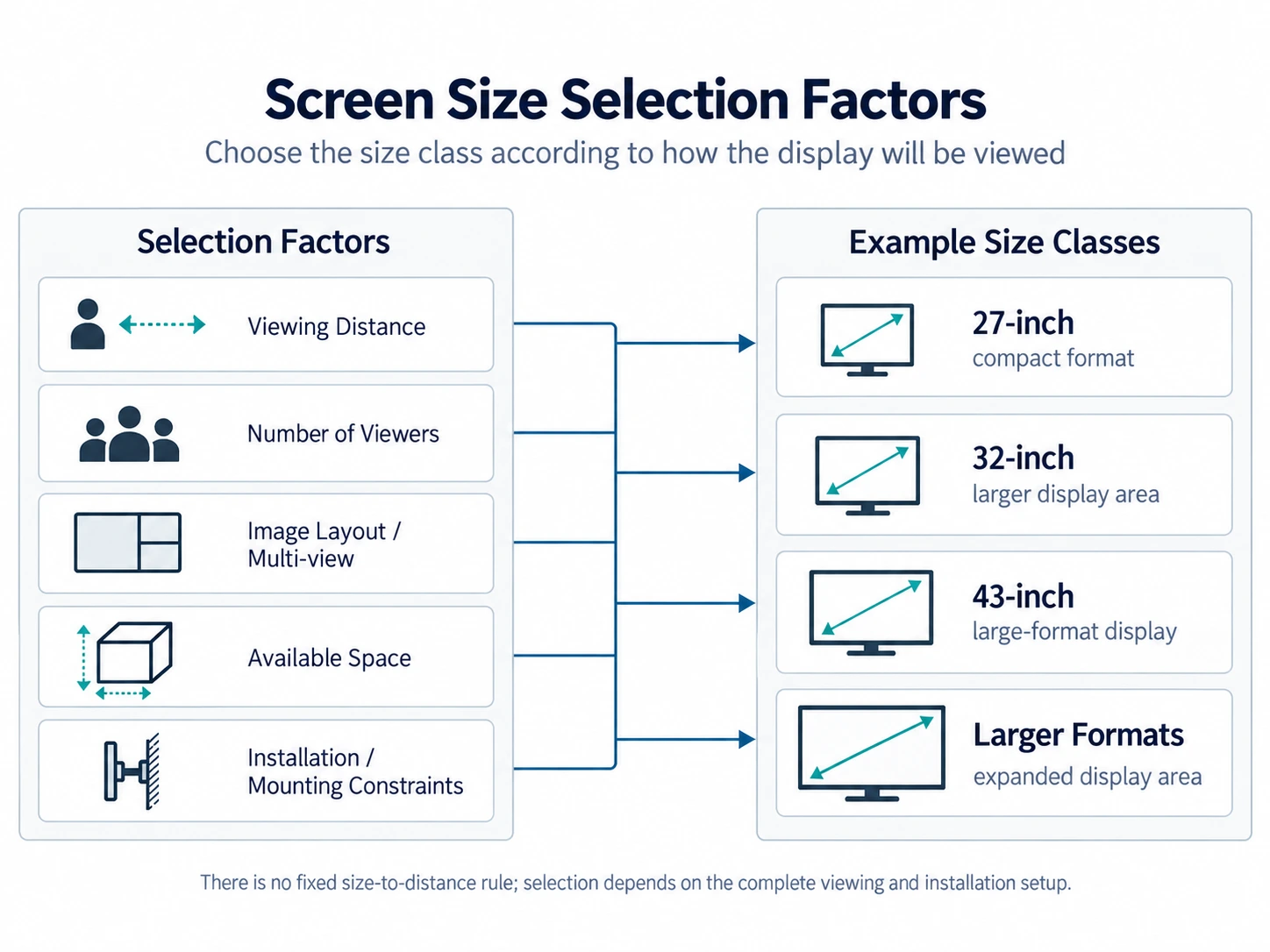
There is no single surgical-monitor size that suits every endoscopy or OR setup.
Surgical displays are available in size classes such as 27-inch, 32-inch, 43-inch, and larger formats, depending on the product line and intended installation.
The useful question is not simply, “Which size is better?” It is how the display will be viewed.
A monitor positioned close to an endoscopy cart can provide a large apparent image without requiring a very large panel. As viewing distance increases, a larger screen may make the image easier for multiple members of the surgical team to see.
The number of viewers also matters. A display intended mainly for one operator at close range has a different role from a screen that several people need to follow from different positions in the room.
Multi-view changes the calculation again. When PIP, PBP, or several video sources share the screen, each image occupies only part of the available display area. A larger panel can therefore become useful even when the viewing distance itself has not changed.
SOINVISION currently provides NEXARA X surgical display configurations in 27-inch, 32-inch, and 43-inch sizes. The appropriate option should be chosen according to the actual viewing conditions and image layout rather than screen size alone.
4. Follow the Signal Path, Not the Connector Count
A monitor can have many ports and still be unsuitable for a particular video chain.
What matters is whether its inputs and outputs correspond to the equipment around it.
HDMI, SDI, DisplayPort, and DVI may all appear in medical video installations. SDI-based setups also need the appropriate SDI standard. 3G-SDI is commonly used for HD signal transmission, while 12G-SDI can carry compatible 4K signals, including 4K/60 in supported systems, over a single SDI connection.
That does not make 12G-SDI a universal requirement for 4K. The source device, frame rate, output format, cable path, and monitor input have to be considered together.
If the processor sends video directly to the display, its output must match a supported monitor input.
If the image must continue from the monitor to a recorder, secondary display, or another video device, output or loop-through capability also becomes part of the specification.
Consider a setup such as:
Endoscopy processor → surgical monitor → recorder
The display now has two jobs in the signal path: receive the source correctly and provide a compatible signal to the downstream recorder.
The same principle applies to longer video chains. Compatibility is determined by the complete path, not by the number of connectors on the rear panel.
5. Make Sure the Display Fits the Installation
After the signal path has been established, the display still has to fit the physical installation.
For a cart-based setup, check monitor dimensions, weight, mounting pattern, arm capacity, cable routing, and available space. A display may be electrically compatible but still be a poor fit if the cart or arm cannot support it properly.
Larger displays require mounting structures rated for their dimensions and weight, whether they are installed in a fixed position, on a wall, or on a suitable heavy-duty support.
Connector access also matters. Rear I/O placement should leave enough space for cables without creating tight bends or interfering with nearby equipment.
Other physical considerations include:
- VESA mounting compatibility;
- front-surface protection and cleaning;
- access to controls and connectors;
- visibility from different positions around the room;
- reflections from the surrounding environment.
Separating installation from screen-size selection makes the decision easier: first determine how large the displayed image needs to be, then verify that the chosen display can be installed appropriately.
6. Focus on the Display Functions the Setup Will Use
Surgical monitors often include a long list of image controls and workflow functions. Not all of them carry the same weight in every application.
For image presentation, settings such as gamma, color temperature, color space, and wide viewing angle can affect how the incoming video is displayed.
Depending on the source and monitor, relevant considerations may include BT.709 or BT.2020 colorimetry, together with HDR transfer functions such as HLG or PQ. Their relevance depends on the signal being supplied and the capabilities of the selected display.
Workflow functions solve a different problem. PIP, PBP, multi-view layouts, image flip, and signal output become useful when more than one source has to be shown or when the monitor sits within a broader OR video environment.
A single-source endoscopy cart may never use multi-view. An integrated room receiving several video feeds may depend on it.
Some medical displays also include a DICOM display mode. DICOM grayscale display functions are associated with the presentation of grayscale medical images, so the presence of a DICOM mode should not by itself be interpreted as diagnostic-display compliance or as a requirement for real-time endoscopy video.
Whether that mode is relevant depends on the imaging application and project requirements.
Endoscopy and OR display selection should remain centered on the actual imaging source and use case.
7. Decide Whether Image Processing Is Part of the Requirement
Not every project needs additional image enhancement.
Many endoscopy systems already deliver a processed video signal from the camera console. In that situation, the main requirement may simply be to display the incoming 4K signal with the appropriate inputs, color settings, and installation format.
Other configurations may require an additional processing stage when specific visualization functions are requested, such as:
- Defog;
- Depth;
- Vessel/Tissue enhancement;
- broader image optimization.
These should be treated as image-processing and visualization capabilities rather than diagnostic functions.
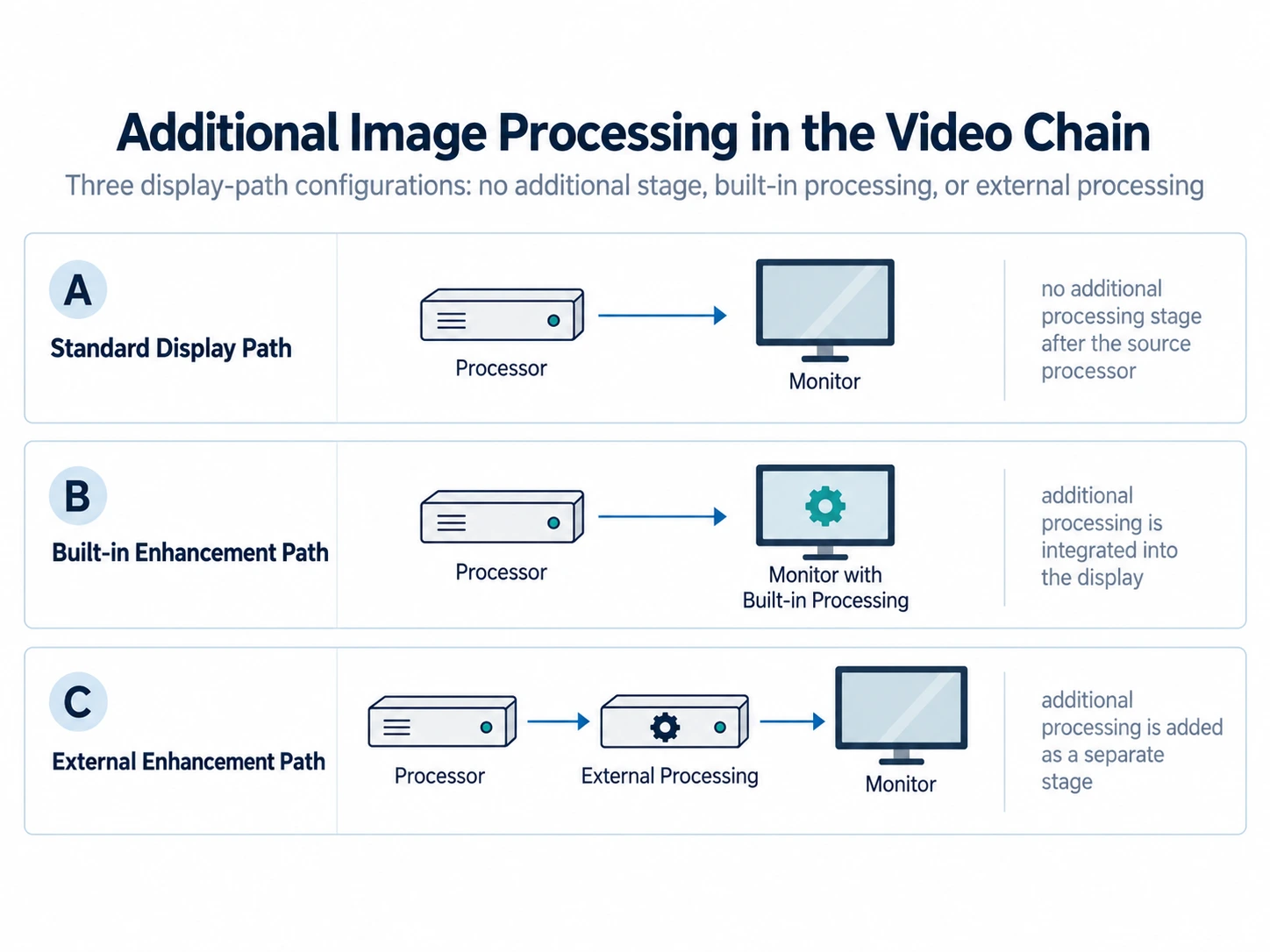
Image processing can also be located in different places within the video chain.
It may be built into the display platform:
Processor → monitor with additional processing
Or it can be introduced through an external device:
Processor → external image-processing platform → monitor
The second approach can be useful when processing needs to remain separate from the display or be added to an existing video chain.
SOINVISION addresses these configurations through different product platforms. NEXARA supports standard 4K surgical display applications, while NEXARA X adds S-VIXTA-based image-enhancement capabilities such as Defog, Depth, and Vessel/Tissue enhancement. Milestone provides an external processing option when image enhancement needs to be added separately within the video chain.
1080p-to-4K upscaling is available across both NEXARA and NEXARA X configurations and should be considered separately from the additional enhancement functions provided by the NEXARA X platform.
The configuration should follow a defined image-processing need rather than the assumption that more processing automatically makes the setup better.
8. Verify the Configuration Before Procurement
By the time a project reaches quotation or sample evaluation, the supplier should have enough information to review the proposed configuration.
A practical pre-purchase checklist can stay relatively short:
- Application and installation: endoscopy cart, OR integration, main display, secondary display, wall or cart mounting.
- Video source: camera system, processor, or other upstream equipment.
- Signal: Full HD or 4K, required frame rate, and relevant format.
- Connections: required inputs, outputs, SDI standard, loop-through, and downstream devices.
- Display functions: screen size, multi-view, image modes, and whether additional processing is needed.
- Project details: documentation, OEM customization, expected quantity, sample needs, and schedule.
Technical documents can then be checked against this information. Depending on the project, these may include the product datasheet, interface configuration, dimensional drawing, mounting information, user manual, and relevant compliance documentation.
For OEM or integration projects, a sample or configuration review before volume procurement can also help uncover mismatches that are difficult to identify from a specification sheet alone.
Conclusion
A useful 4K surgical monitor selection starts with the source and signal path. Screen size, connectivity, mounting, display functions, and image processing should follow from the way the equipment is actually built and used.
That approach is more reliable than choosing the largest panel or the model with the longest feature list.
SOINVISION provides 4K surgical display configurations for endoscopy, OR visualization, and medical-device integration projects. Share the video source, signal interfaces, intended screen size, installation method, and processing needs to discuss your display configuration with the SOINVISION team.